
DebtPath IQ™ screenshot tour
The Settings tab
Who is in the household, who can print, and how your work is protected.
Overview
Settings holds three jobs. It records who in your family is on the accounts. It sets the PIN and security questions that guard your full account numbers. And it runs two different kinds of backup — an automatic one for the mistake you made five minutes ago, and an encrypted vault file for moving everything to another computer.
Screens
-
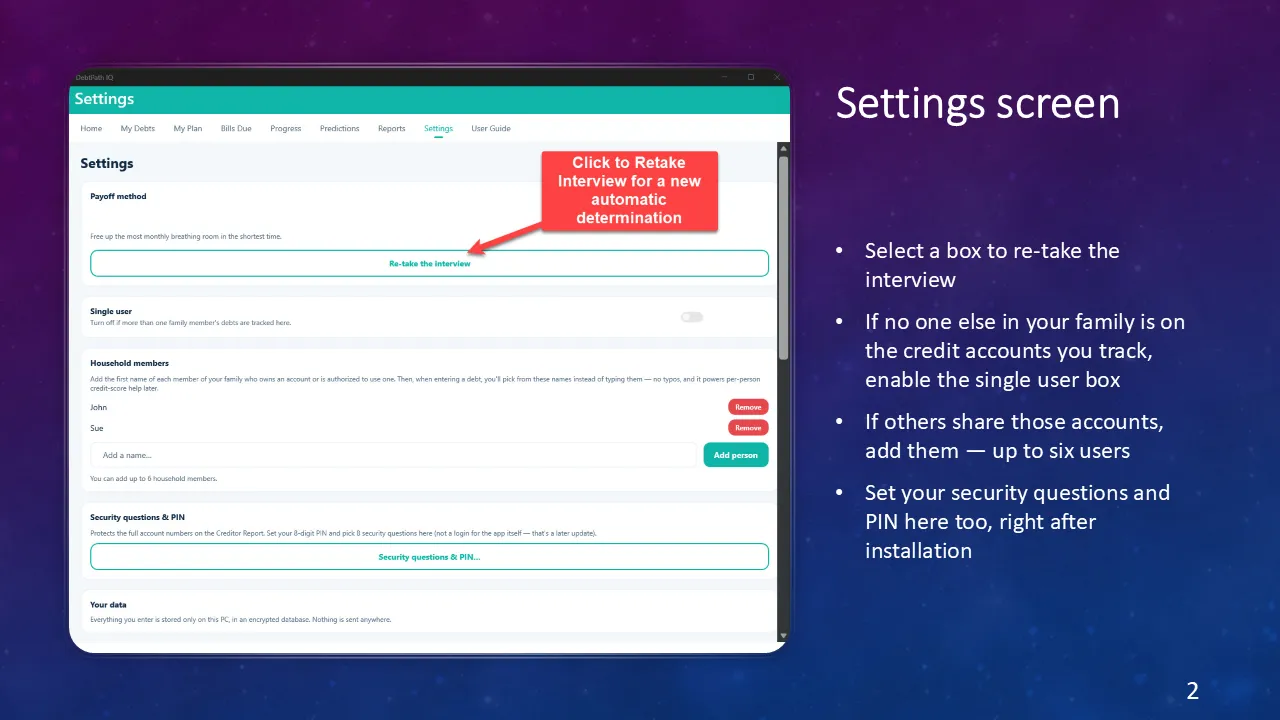
The Settings screen Four things live here. Re-take the interview whenever life changes and the app recommends a method again from scratch. Say whether more than one person’s debts are tracked. Name the family members who are on the accounts. Set the PIN. And read the line at the bottom that matters most: everything you enter stays on this PC, in an encrypted database, and nothing is sent anywhere.
-
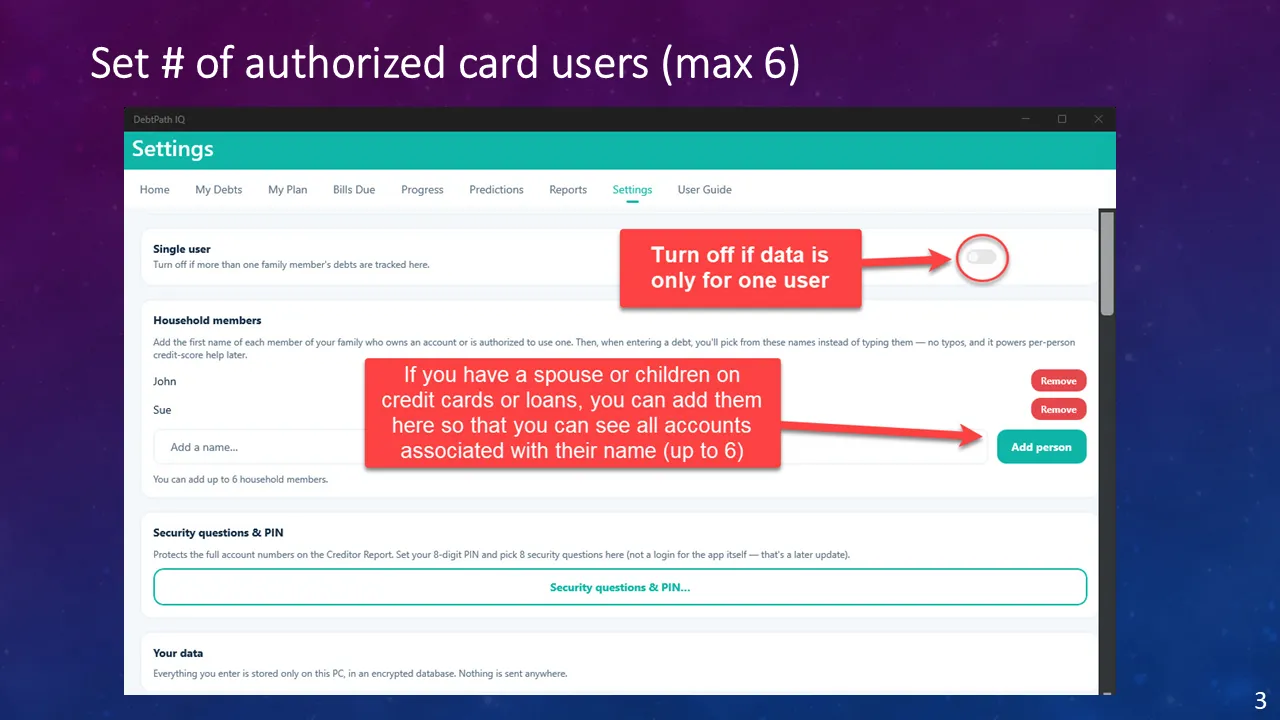
Who is on the accounts Debt is rarely one person’s. Add each family member who owns an account or is an authorized user on one — up to six — and two things follow: when you enter a debt you pick a name from a list instead of typing it, and every screen can then filter to one person’s credit picture. If the debts are only yours, leave Single user on and the whole feature stays out of your way.
-
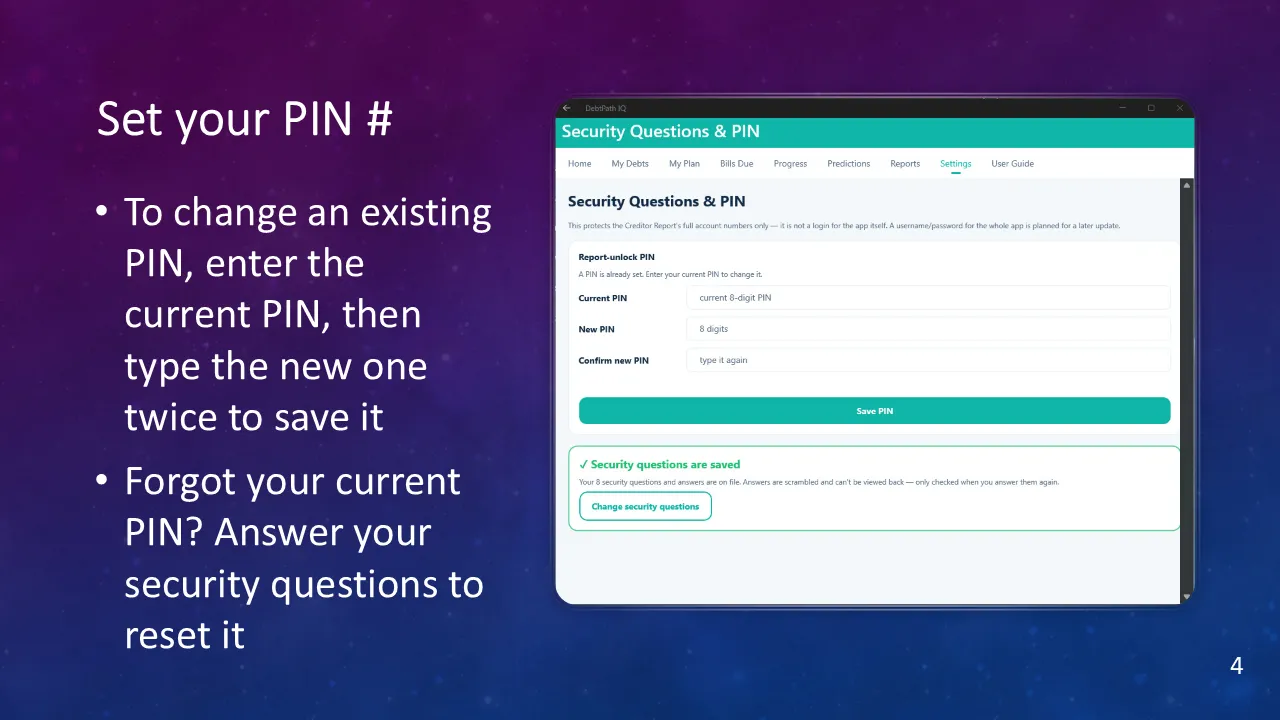
Set your PIN Changing the PIN works the way you would expect — current one, then the new one twice. Two details worth reading. The app says plainly that this PIN guards the Creditor Report, not the app itself, so nobody mistakes it for a login. And your security answers are scrambled and can never be viewed back, only checked when you type them again.
-
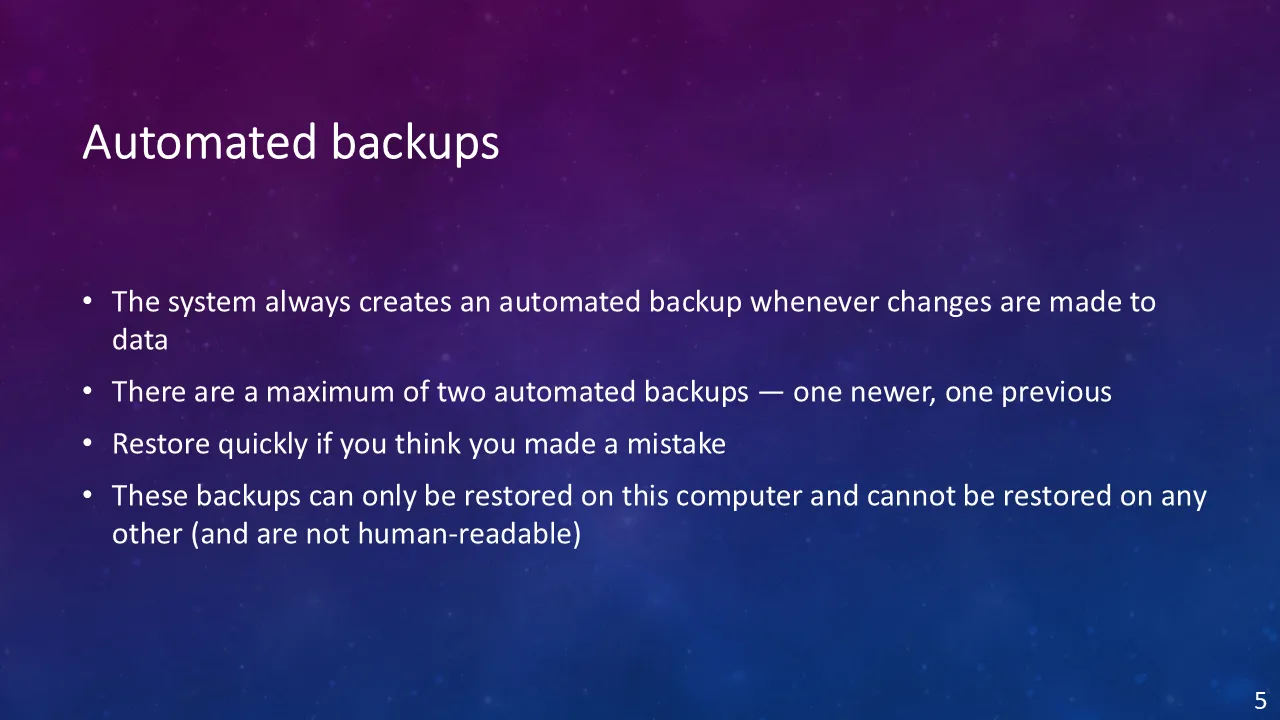
The backup that just happens You never have to remember this one. Every time your data changes, DebtPath IQ™ writes an encrypted copy — and keeps two, the newest and the one before it. That pair is the answer to “I just deleted something I did not mean to.” These files are deliberately tied to this computer and are not readable by a person, which is exactly why the vault backup below exists for moving house.
-
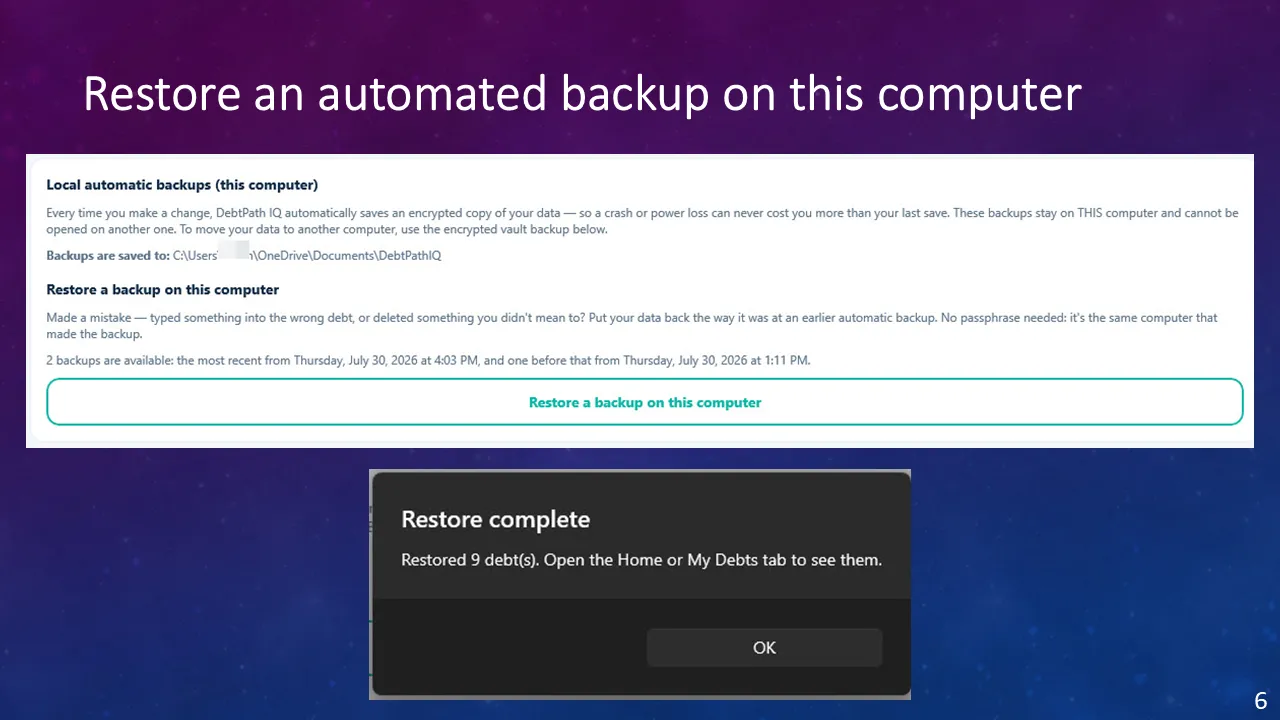
Undo a mistake One button, and no passphrase needed — it is the same computer that wrote the file. The app names both backups by date and time, down to the minute, so you can pick the one from before the mistake rather than guessing. And when it is done it tells you exactly how many debts came back instead of leaving you to go and count them.
-
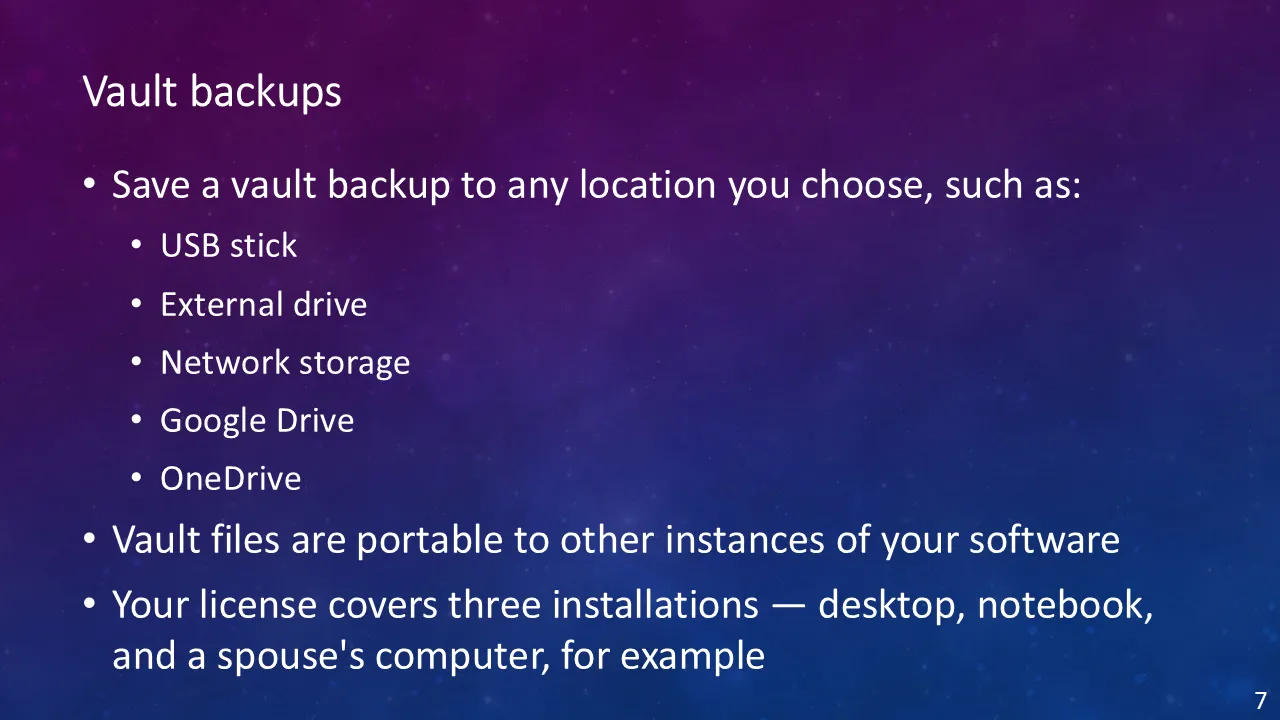
The backup that travels The other kind of backup is one file that holds everything and can be opened on a different computer. Put it on a USB stick, an external drive, or a cloud folder. This is how you move to a new machine, and it pairs with the licence, which covers three installations — a desktop, a notebook, and a spouse’s computer, for example.
-
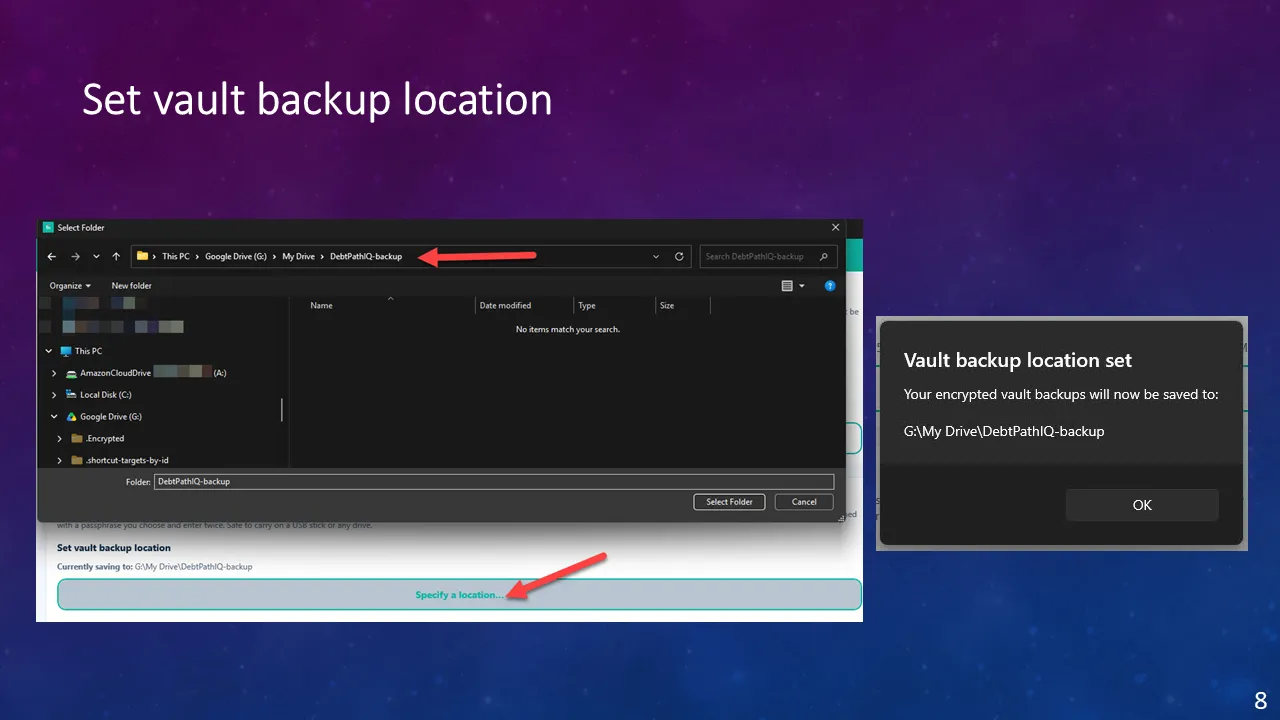
Choose where it goes Pick the folder once and the app remembers it, showing you the current destination on the Settings screen so you never have to wonder where your backups are going. Any folder Windows can reach will do — a USB stick, an external drive, network storage, or a cloud folder like Google Drive or OneDrive. The file is fully encrypted before it is written, which is why putting it on a cloud drive or carrying it in your pocket is safe.
-
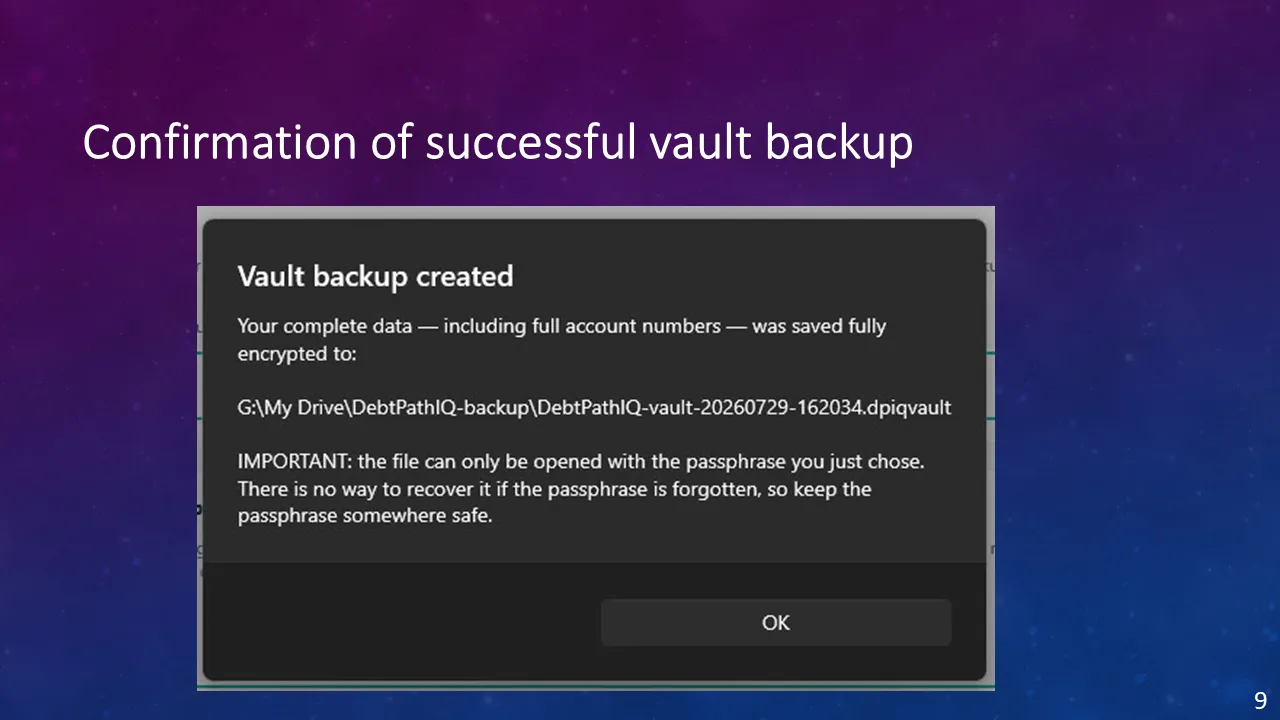
Proof it worked The confirmation tells you the exact filename and where it landed, so you can go and check that the file really exists — and the name carries the date and time, which is what makes a stack of vault files easy to sort later. Then it repeats the warning that matters most: forget the passphrase and the file is gone.
-
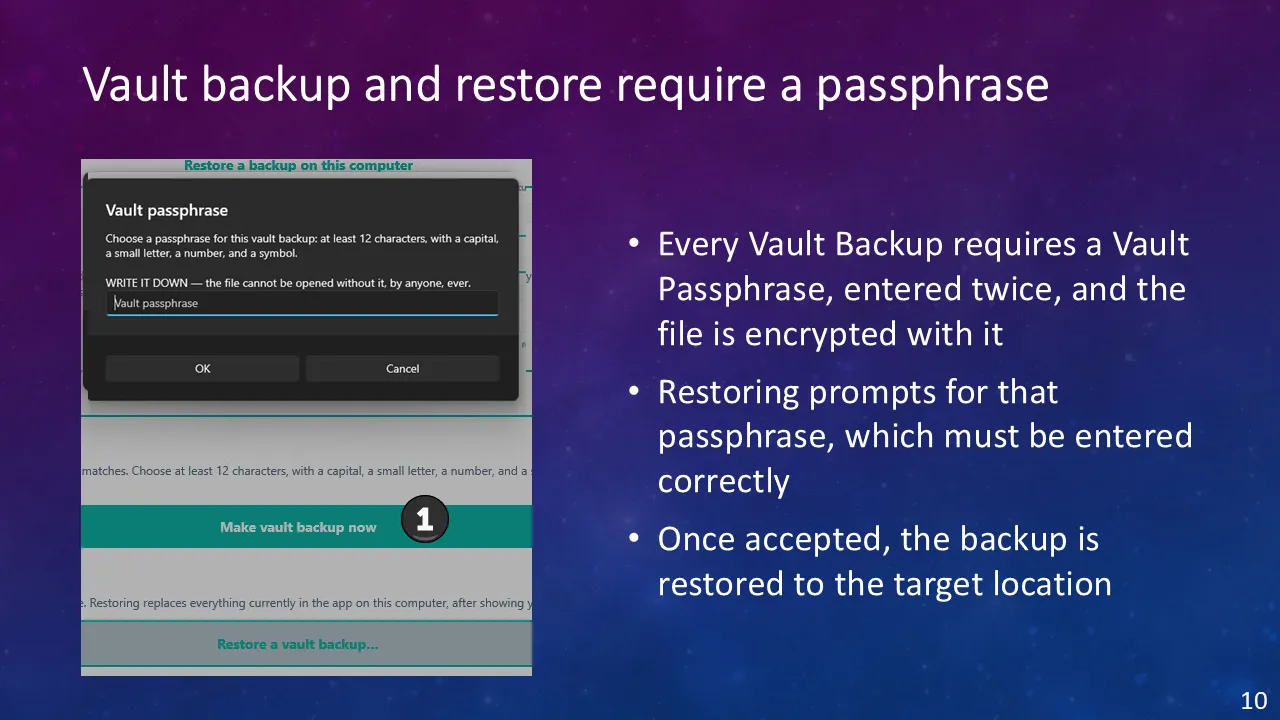
A passphrase only you hold Here is the rule behind both halves of that. Making a vault backup asks for a passphrase twice; restoring one asks for it again and will not budge without it. The warning does not soften: write it down, because the file cannot be opened without it — by anyone, ever. That is the honest cost of real encryption, and the same reason nobody else can open your file either.
Ready to see these screens with your own numbers in them?
$49.99 once — the introductory price through November 30, 2026, then $79.99. On sale now for Windows 10 and 11; the Mac version goes on sale October 1, 2026. Your data never leaves your computer.
Get DebtPath IQ™ — $49.99