
See it before you buy it
Every screen, in plain sight.
No mockups and no marketing renders — these are photographs of the real app running on a real Windows desktop. Start with the installation, then walk through the app one tab at a time.
Tour sections
-
 3 screens
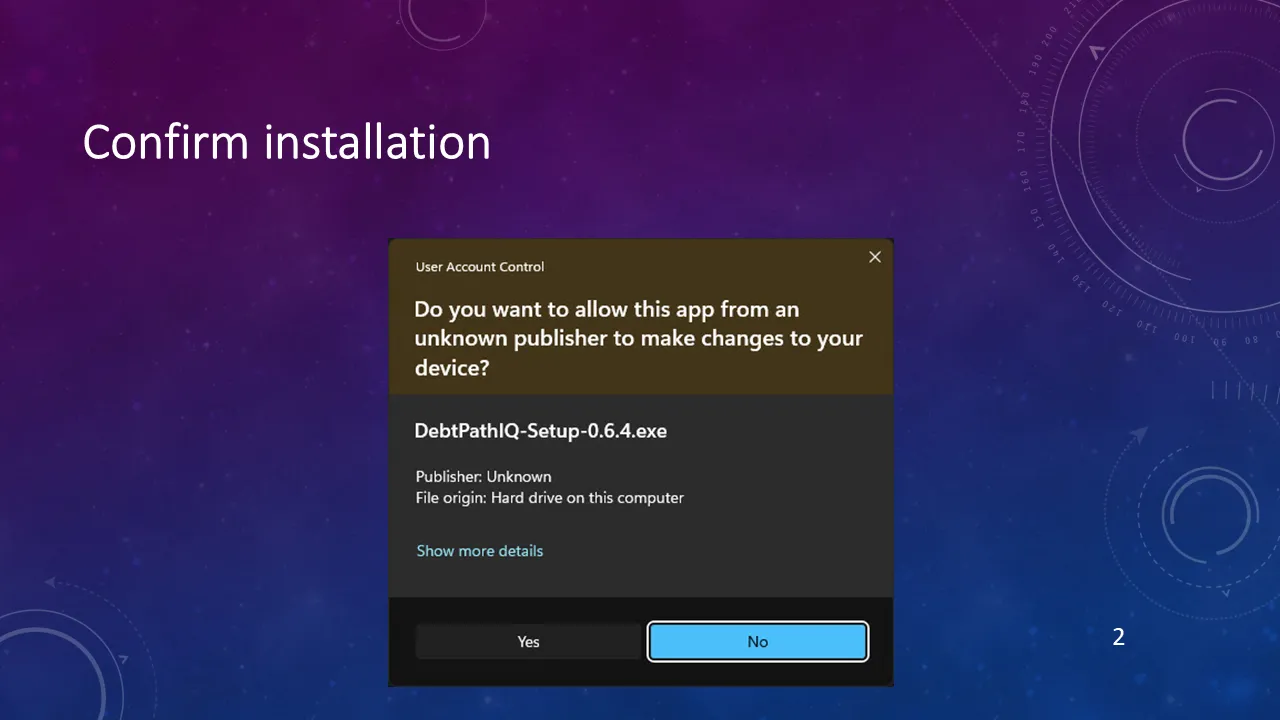
Installation
Two clicks and a Finish button. Here is exactly what you will see.
See the screens → -
 1 screens
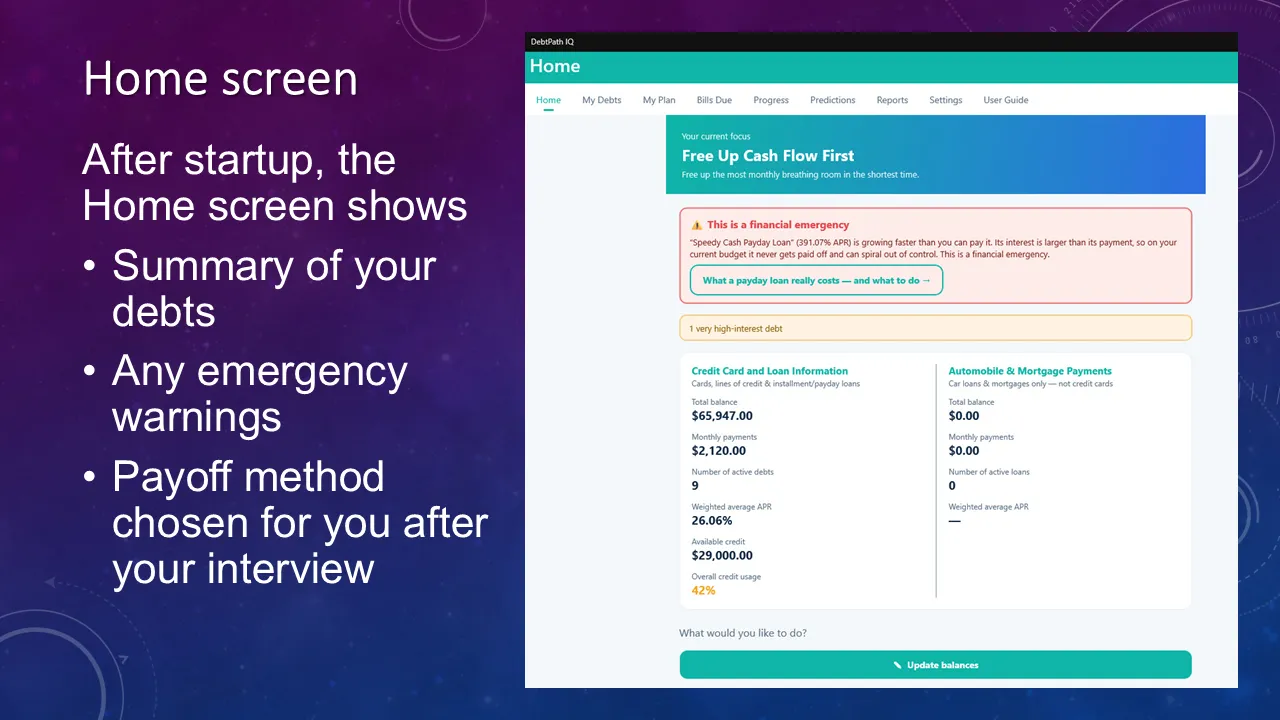
Home
Your method, your numbers, and any emergency — on one screen.
See the screens → -
 1 screens
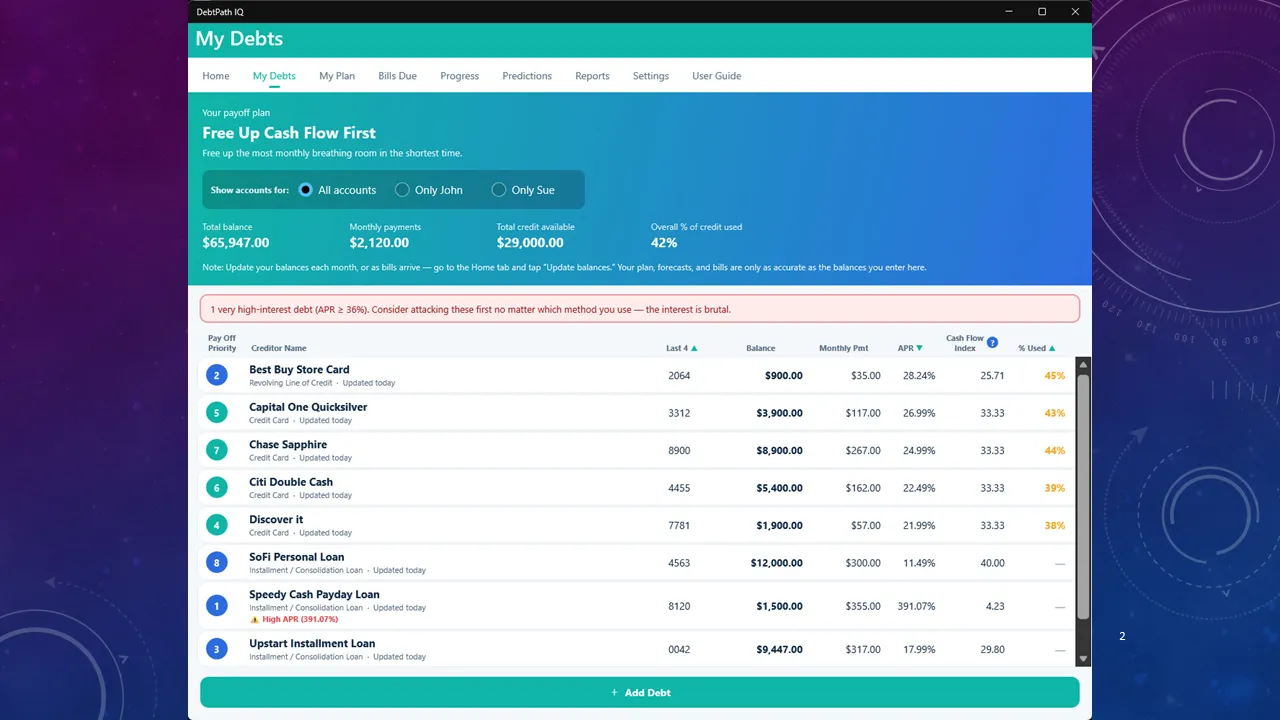
My Debts
Every balance in one honest list — and the app flags the brutal one.
See the screens → -
 4 screens
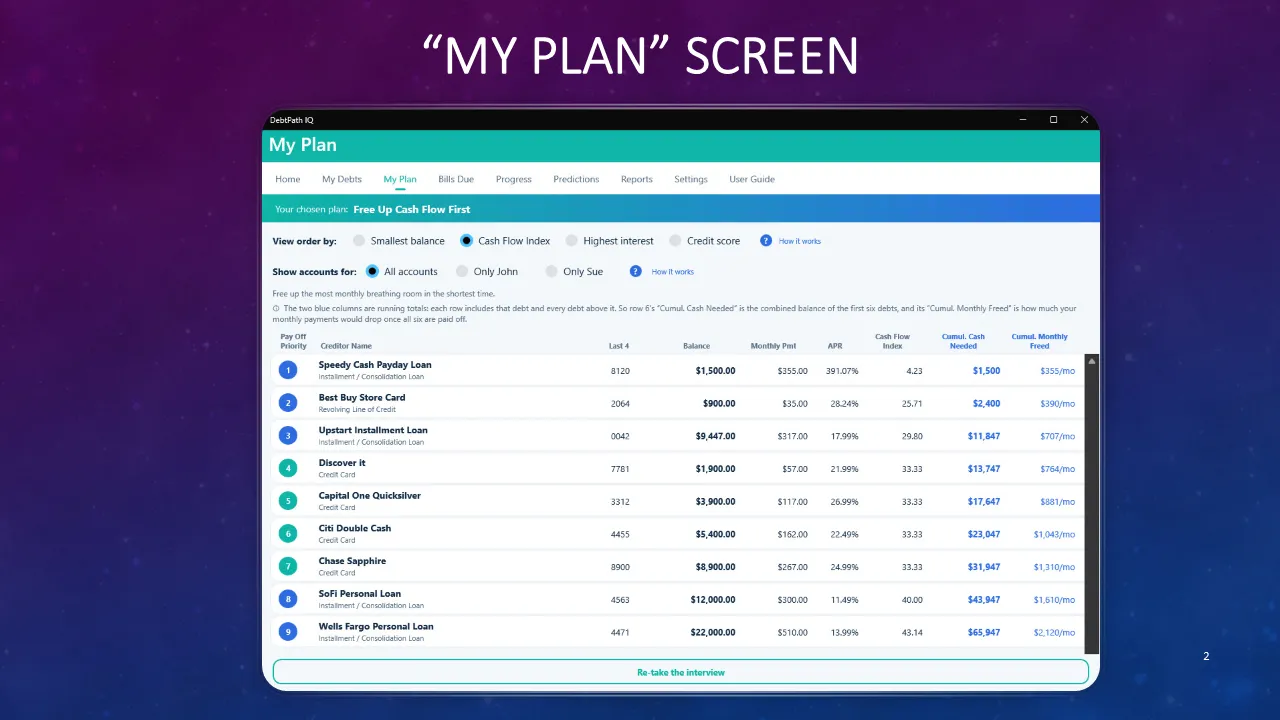
My Plan
The payoff order, sorted for the method that fits your life.
See the screens → -
 2 screens
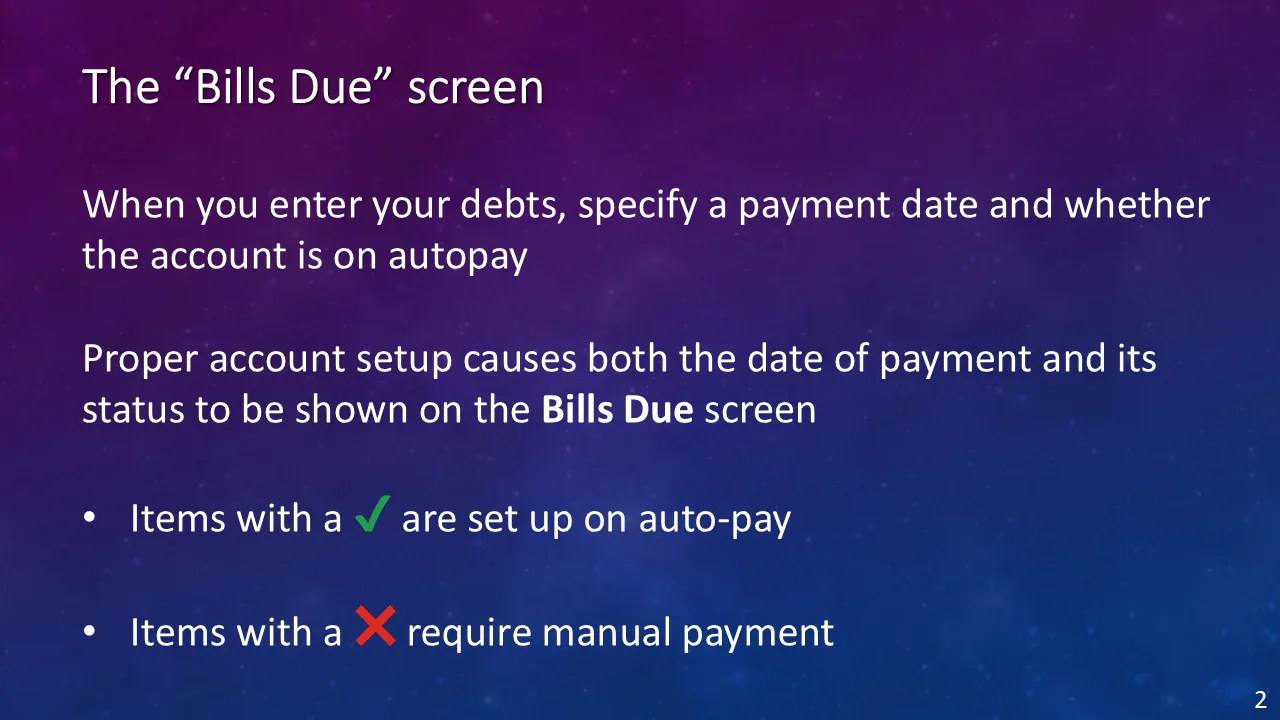
Bills Due
Every payment due, in date order — and which ones pay themselves.
See the screens → -
 1 screens
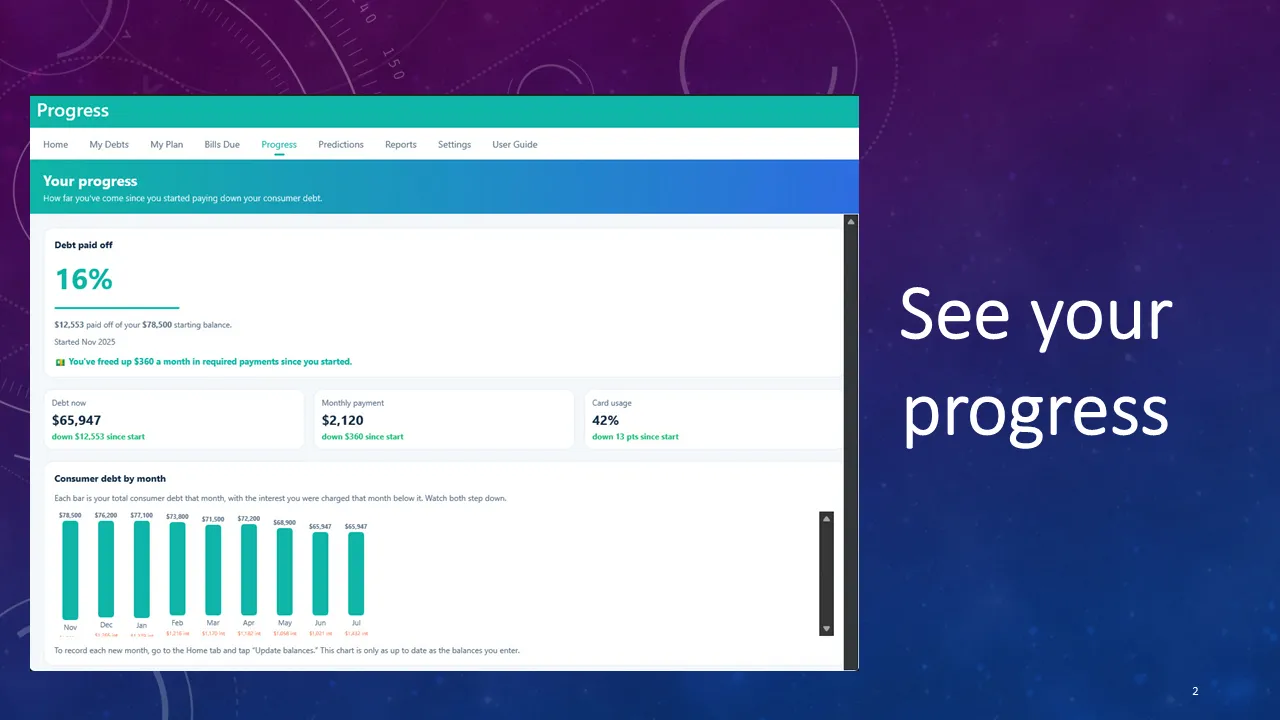
Progress
Your balance, month by month — including the months that go the wrong way.
See the screens → -
 7 screens
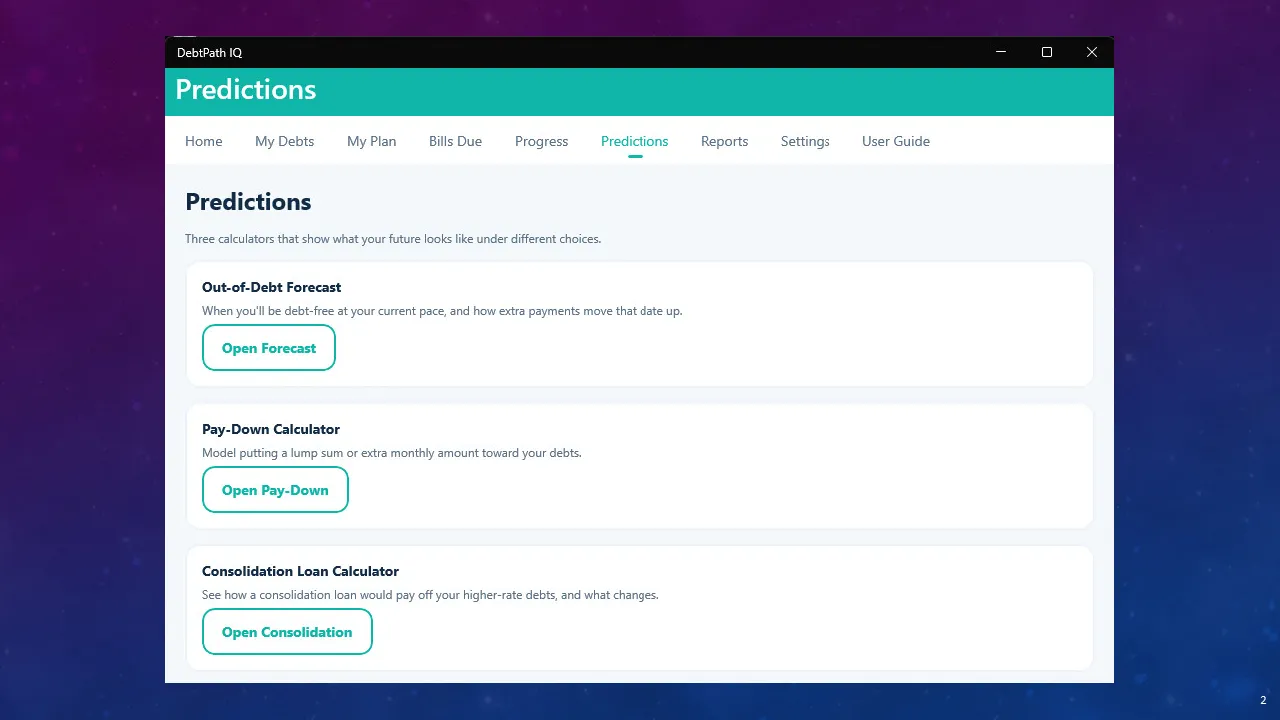
Predictions
Your debt-free date, plus the what-if math you would never do by hand.
See the screens → -
 8 screens
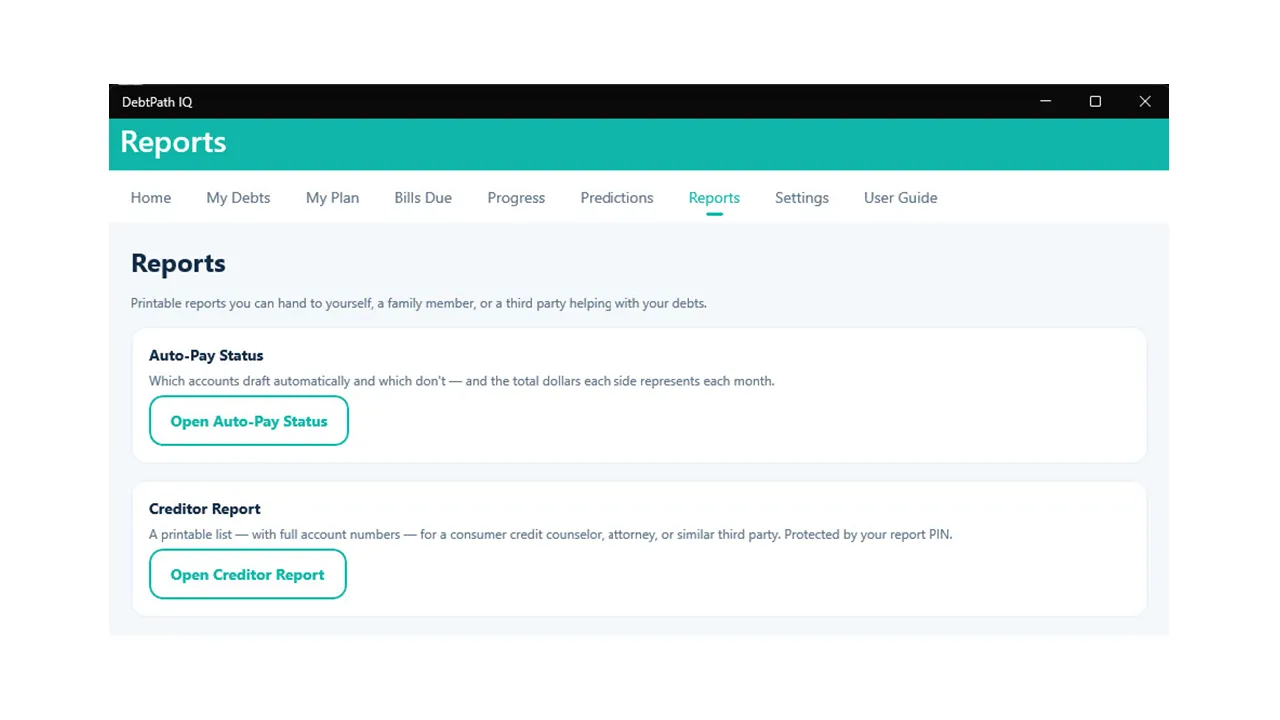
Reports
Two printable reports — one locked behind your own PIN, and cleaned up afterwards.
See the screens → -
 9 screens
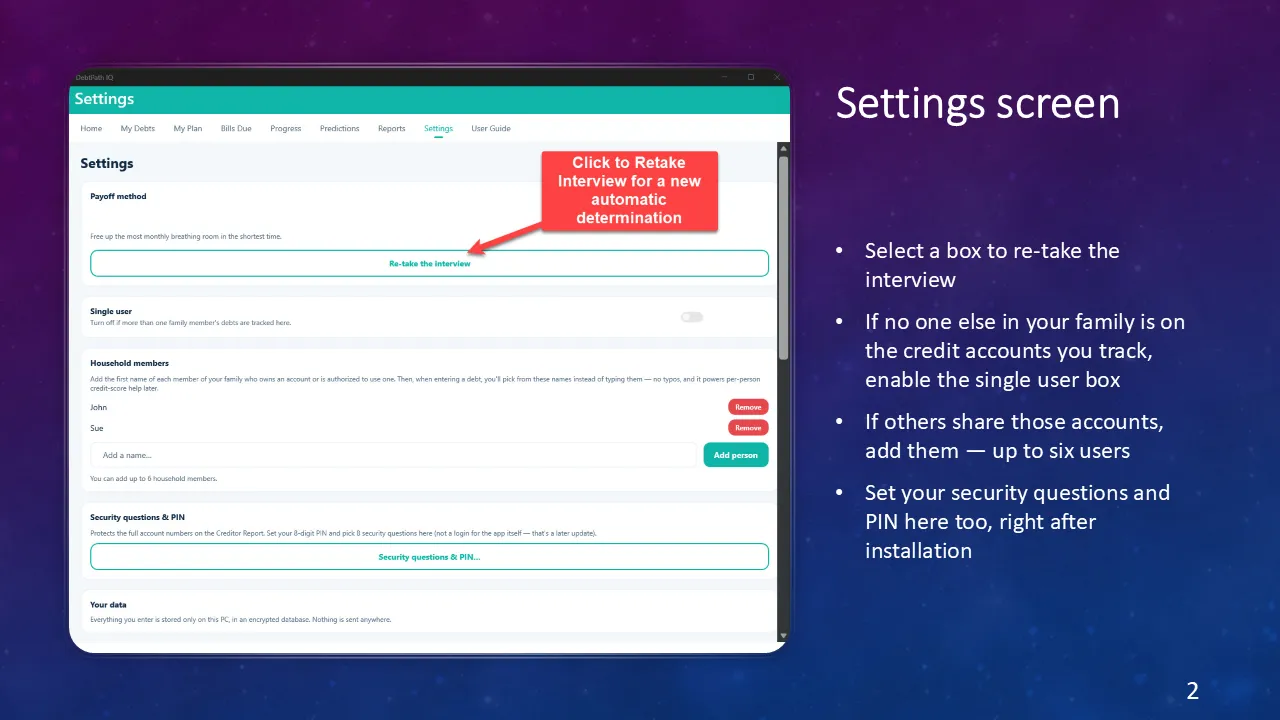
Settings
Who is in the household, who can print, and how your work is protected.
See the screens → -
 4 screens
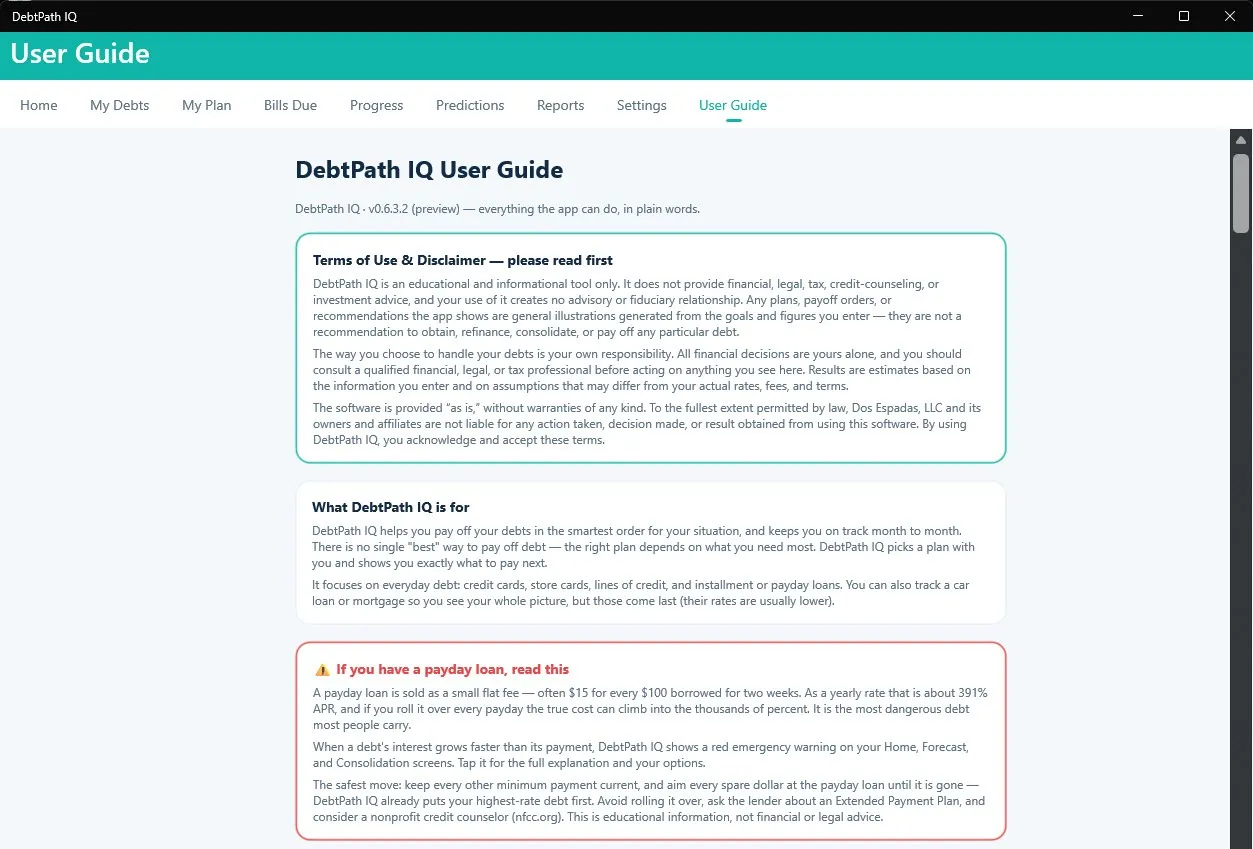
User Guide
The whole manual, inside the app, offline — written for someone who is not a finance person.
See the screens →
Seen enough? Your debt-free date is waiting.
One evening entering your debts, a method that actually fits your life, and a date you can circle on the calendar — for $49.99, once. That is the introductory price through November 30, 2026; it returns to $79.99 after that.
Get DebtPath IQ™ — $49.99