
DebtPath IQ™ screenshot tour
The Reports tab
Two printable reports — one locked behind your own PIN, and cleaned up afterwards.
Overview
Reports turns your plan into paper. One report shows which bills draft themselves and which do not. The other is the creditor report you would hand to a credit counselor or an attorney — and because it carries full account numbers, DebtPath IQ™ makes you unlock it first, then helps you wipe the printed copy off your drive when you are done.
Screens
-
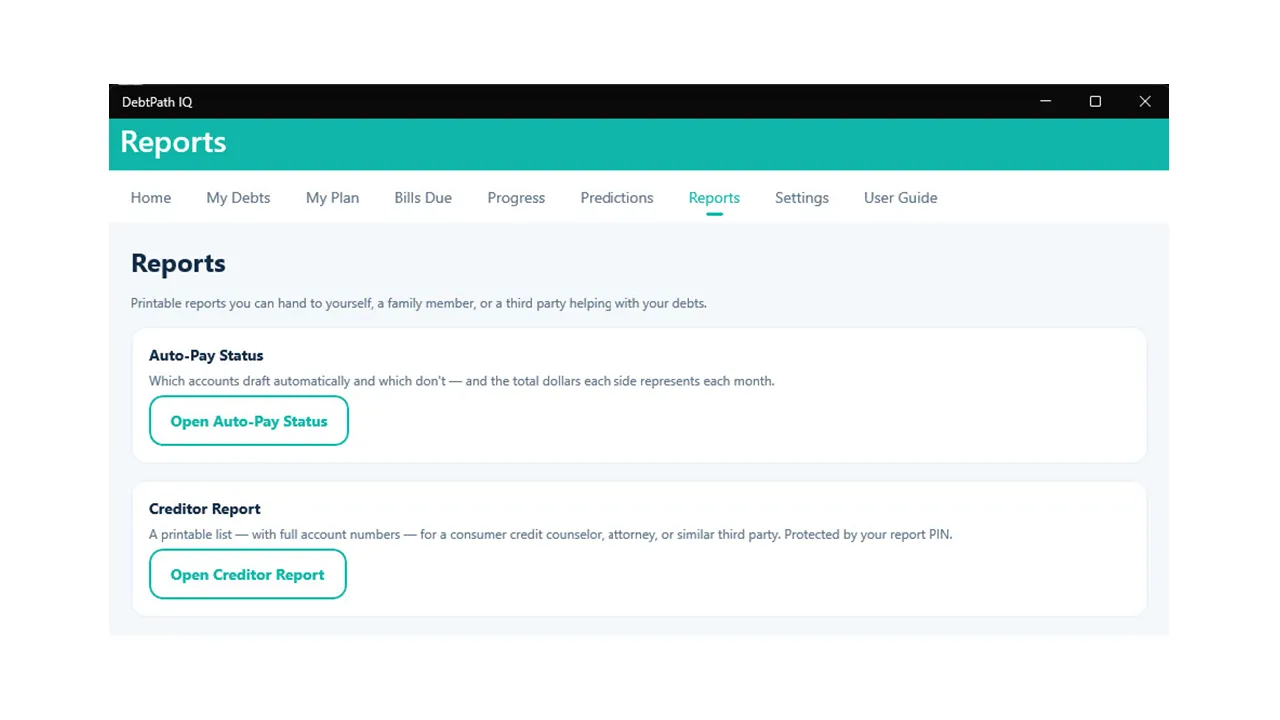
Two reports Two reports, for two different conversations. Auto-Pay Status is for you — a quick audit of what drafts itself. The Creditor Report is for someone helping you, and it is the only screen in the app that shows a full account number, which is why it is the only one behind a PIN.
-
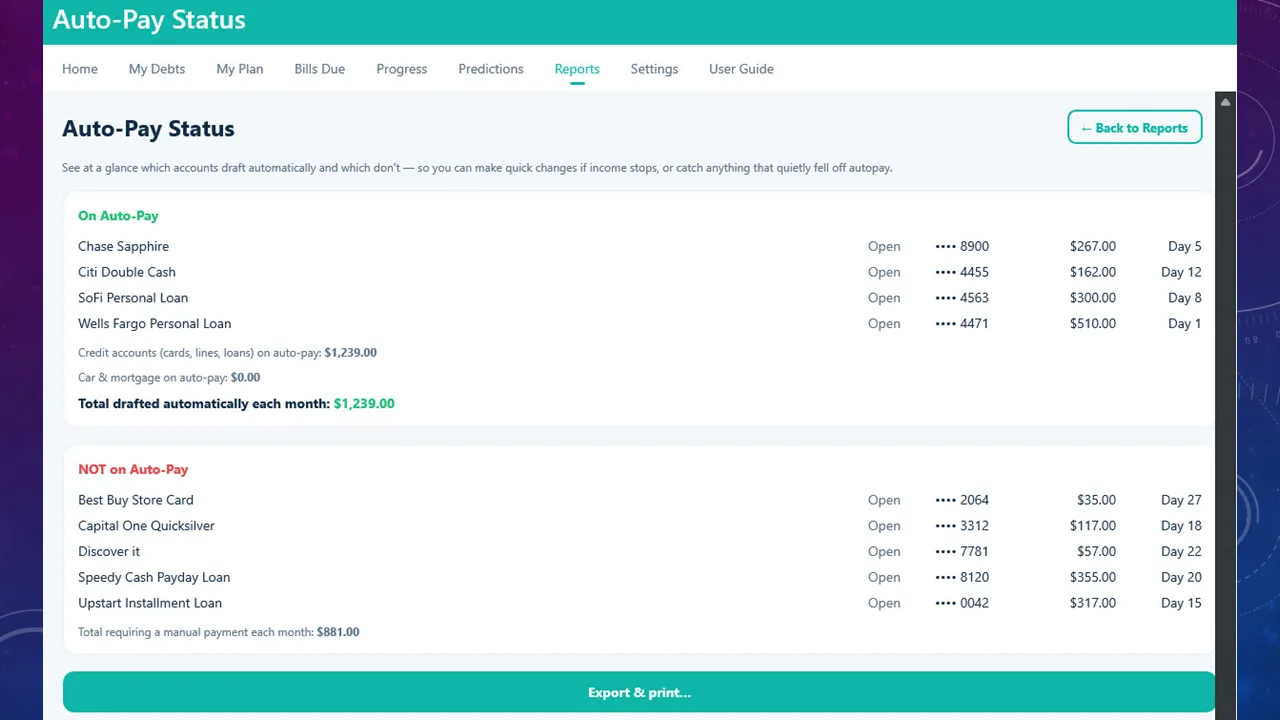
What drafts itself, what does not The month split in two, with a dollar figure on each half: $1,239 drafts itself, $881 depends on you remembering. That second number is the one worth knowing — and here it covers five separate bills, including the payday loan. The screen names the two reasons to check this page: to make quick changes if your income stops, and to catch anything that quietly fell off autopay without telling you.
-
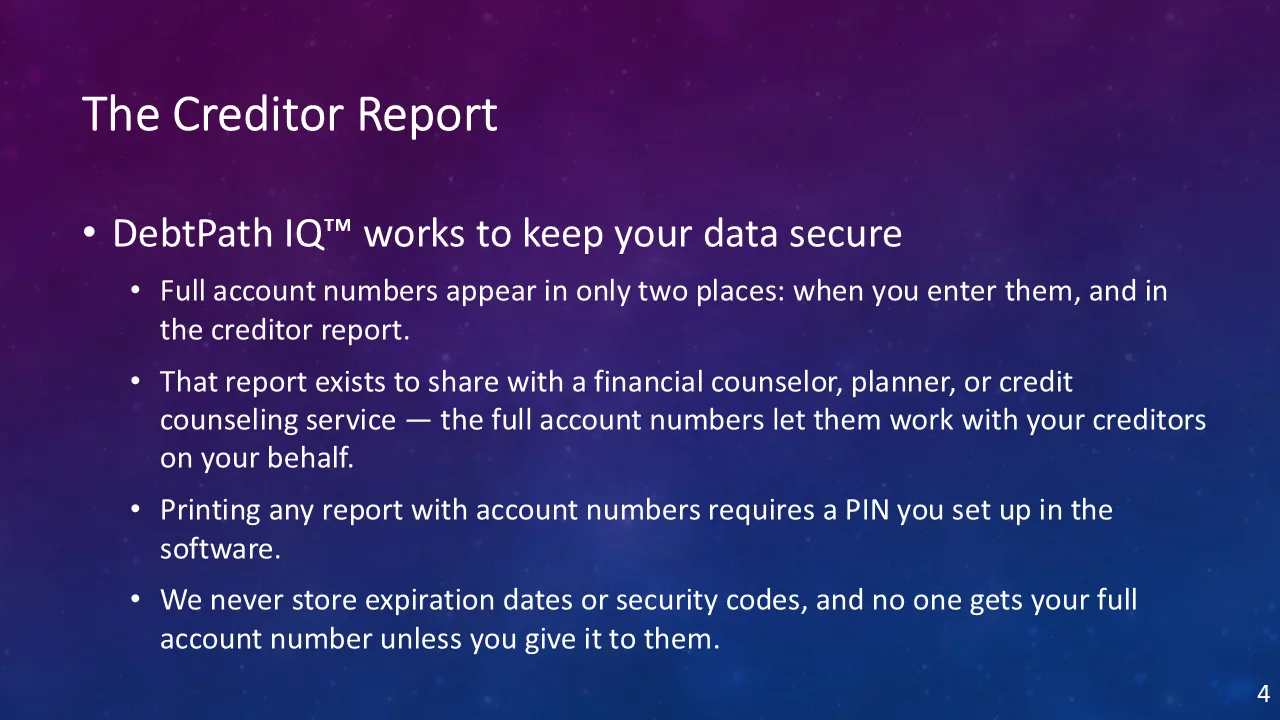
Why this one is locked The plain-English privacy rule. A full account number lives in exactly two places — the screen where you typed it, and this one report. Expiration dates and security codes are never stored at all. The report exists for a real reason: a counselor cannot negotiate with your creditors using the last four digits. Everything else in DebtPath IQ™ shows you a masked number.
-
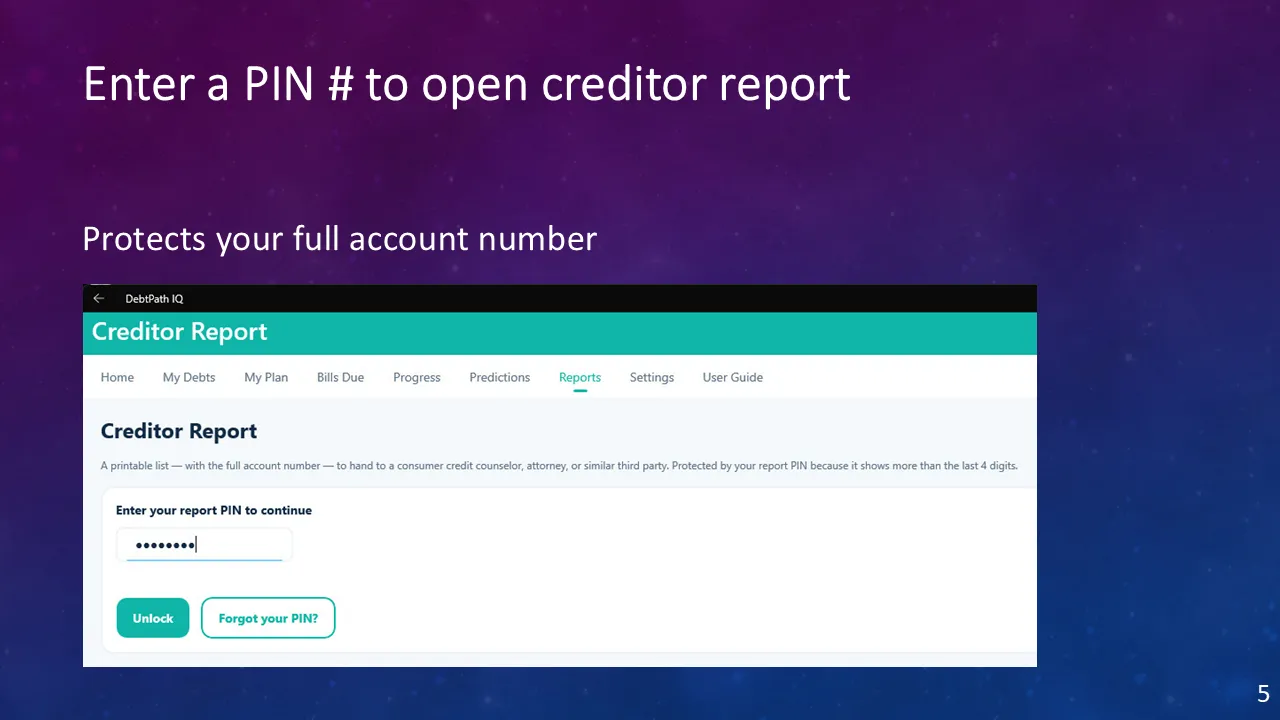
Unlock with your PIN A PIN you chose yourself stands between this report and anyone who sits down at your computer. Note the wording the app uses: it is protected because it shows more than the last four digits. The lock is tied to what is actually at stake, not applied for show.
-
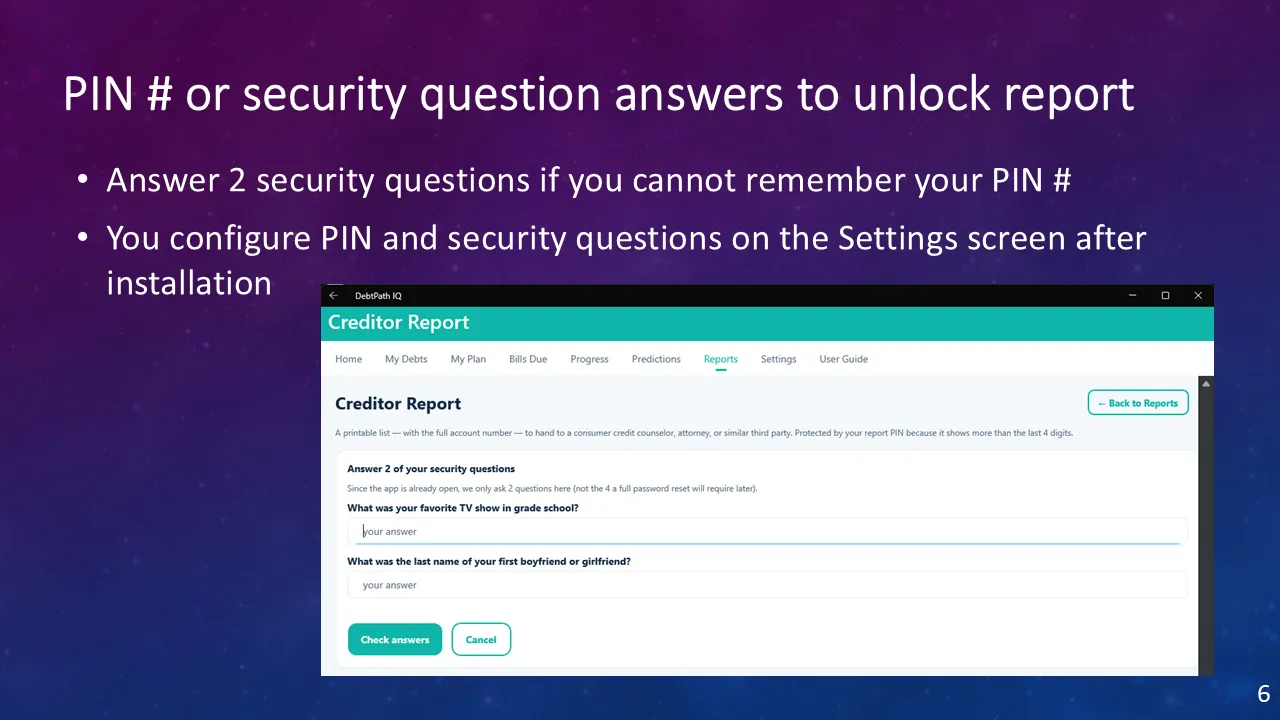
Forgot the PIN Forgetting the PIN does not cost you the report. Answer two of the security questions you set up after installing, and it opens. The app is deliberate about the number, and says so on screen: two questions here because you are already signed in to the computer, and four if you were doing a full reset. You set the PIN and the questions on the Settings tab.
-
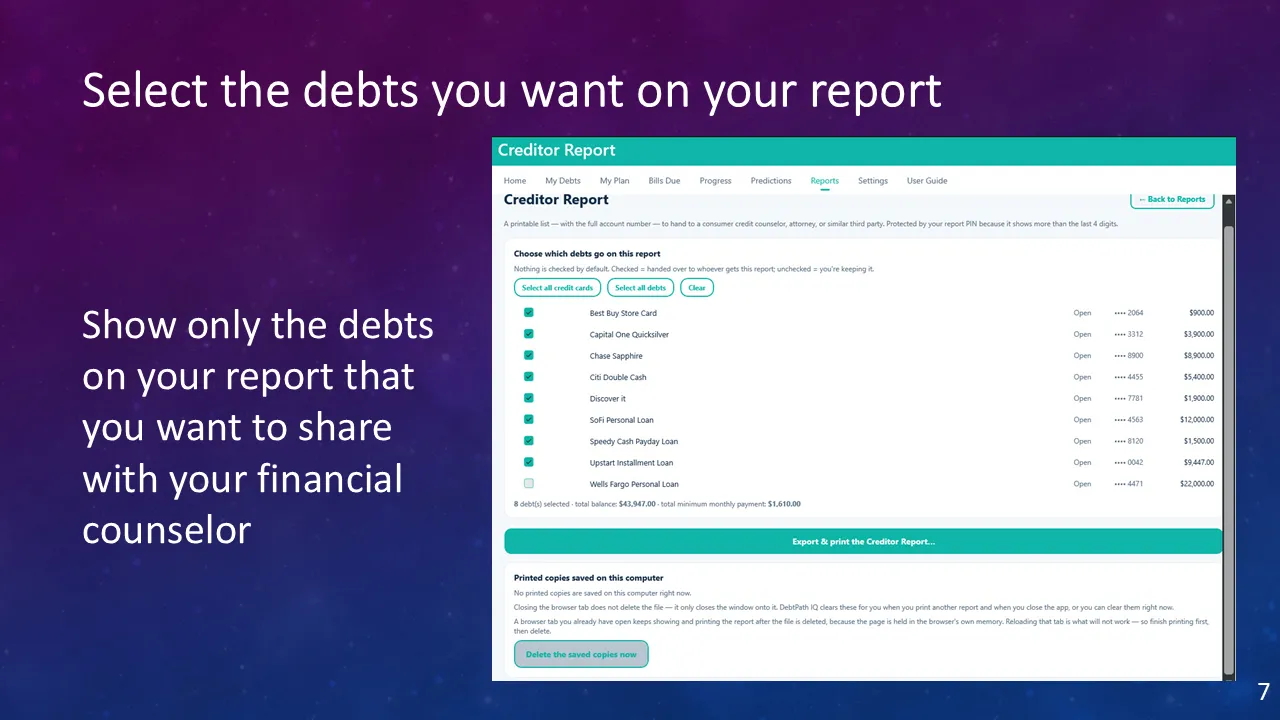
You choose what to share Handing someone your debts should never be all-or-nothing. Nothing is ticked when this screen opens — you decide, debt by debt, what goes on the page. The app states the stakes in one line: checked means handed over, unchecked means you are keeping it. Here eight debts go to the counselor and the Wells Fargo loan is deliberately held back, so the running total reads $43,947 of the household’s $65,947 — you can see exactly what you are about to disclose before you print it.
-
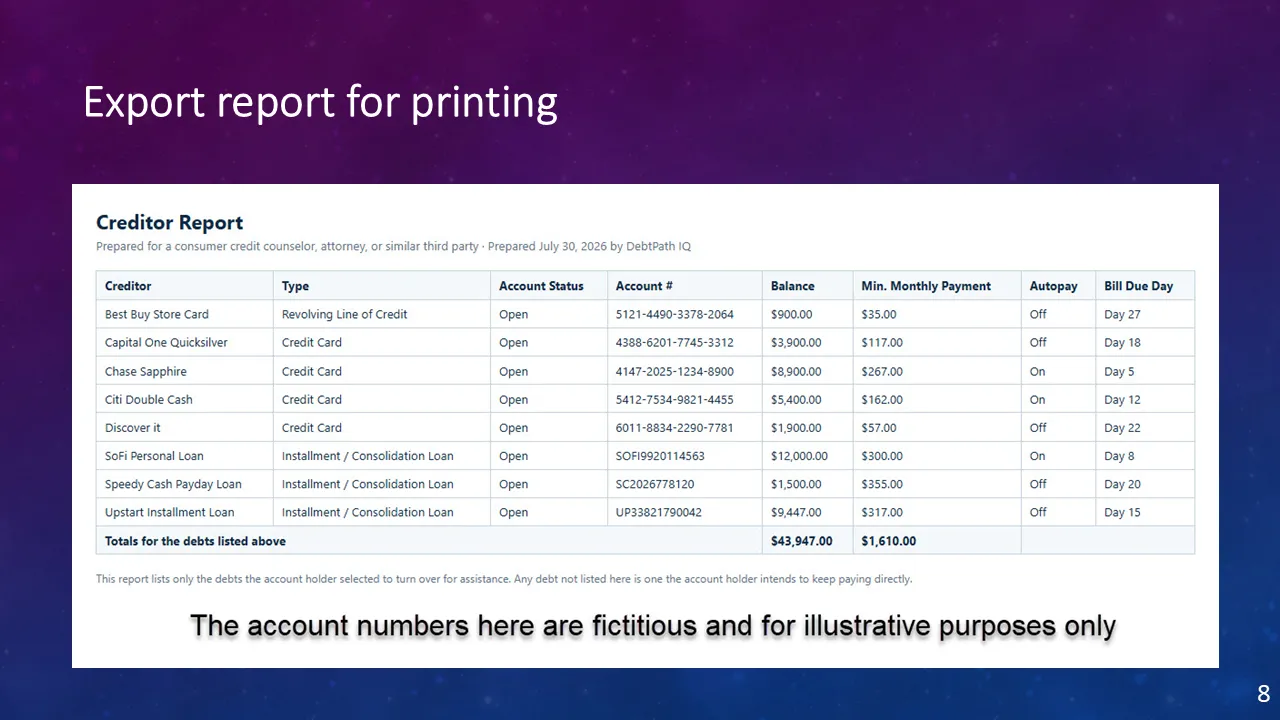
The finished report The document itself — dated, addressed to a counselor or attorney, and totalled. Every column a professional would ask for sits on one page, including the autopay column and the bill due day. And notice what is not here: the Wells Fargo loan you left unticked on the previous screen is genuinely absent, and the totals count only the eight debts you chose. The closing line then does quiet work for you — it tells the reader that anything missing is a debt you intend to keep paying yourself, so a short report is never mistaken for a hidden one.
-
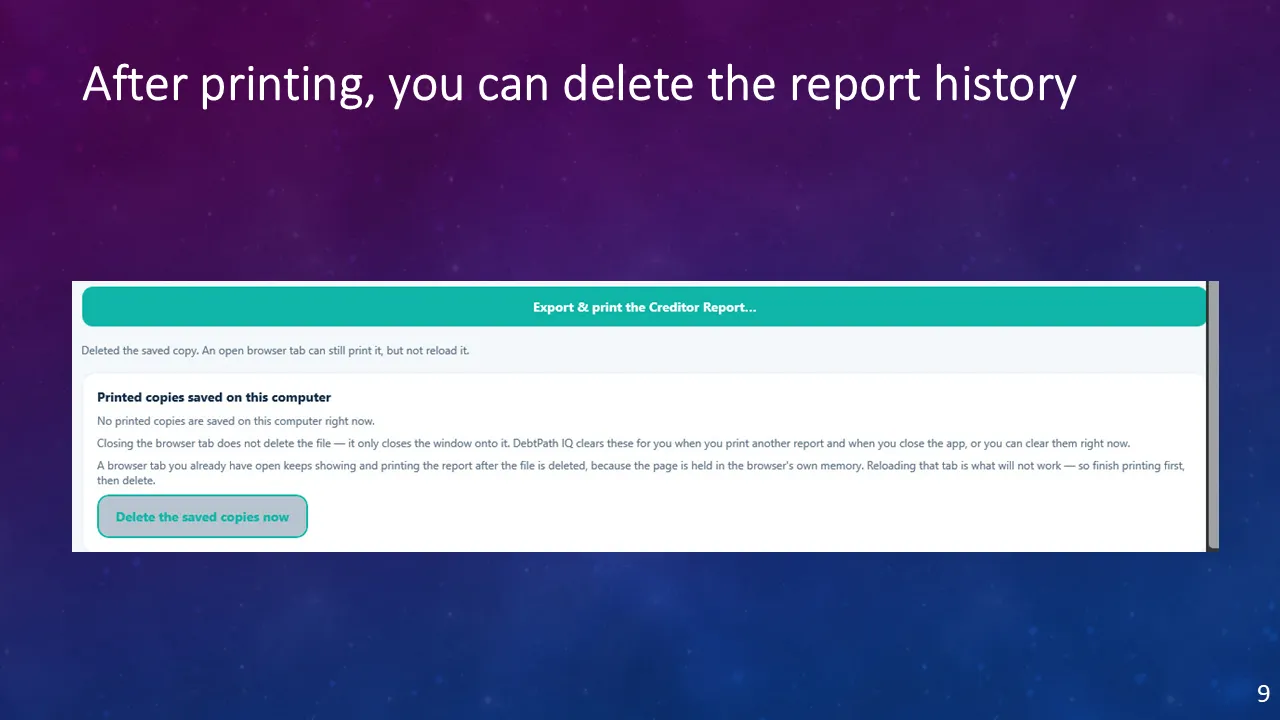
Then clean up after yourself Printing the creditor report writes a copy to your hard drive, and that copy carries full account numbers. DebtPath IQ™ already sweeps it up for you — when you print the next report, and again when you close the app — but this button lets you do it the moment you are finished, which is the habit worth building. Print it, check you have what you need, then delete the saved copy.
The screen is straight with you about one quirk instead of hiding it: a print tab you already have open will keep working from the browser’s own memory even after the file is gone, though it will not reload. So finish printing first, then delete. Few programs bother to explain a detail like that — and it is the difference between believing your data is cleaned up and knowing it.
Ready to see these screens with your own numbers in them?
$49.99 once — the introductory price through November 30, 2026, then $79.99. On sale now for Windows 10 and 11; the Mac version goes on sale October 1, 2026. Your data never leaves your computer.
Get DebtPath IQ™ — $49.99