DebtPath IQ™ screenshot tour

The My Plan tab

The payoff order, sorted for the method that fits your life.

Overview

My Plan turns your debt list into a step-by-step payoff order. Switch methods and the whole plan re-sorts instantly, so you can see what each approach would actually ask of you.

Screens

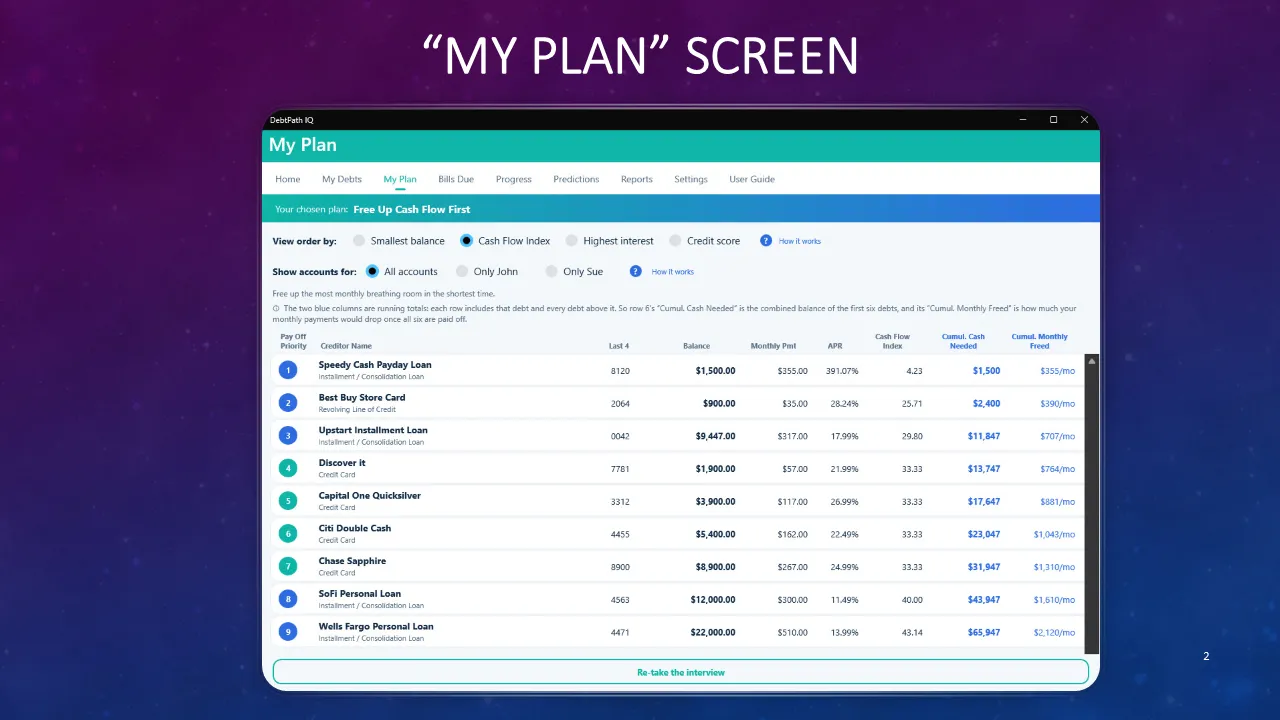
  1. Slide titled “My Plan screen.” The DebtPath IQ My Plan tab shows a banner reading “Your chosen plan: Free Up Cash Flow First,” radio buttons to view the order by smallest balance, Cash Flow Index, highest interest, or credit score, and a “Show accounts for” filter set to All accounts. A numbered table lists all nine debts in payoff order — Speedy Cash Payday Loan, Best Buy Store Card, Upstart Installment Loan, Discover it, Capital One Quicksilver, Citi Double Cash, Chase Sapphire, SoFi Personal Loan, and Wells Fargo Personal Loan — with columns for last four digits, balance, monthly payment, APR, Cash Flow Index, cumulative cash needed, and cumulative monthly freed. The running totals climb from $1,500 and $355 a month on the first row to $65,947 and $2,120 a month on the last. A “Re-take the interview” button sits at the bottom.
    The payoff order

    My Plan takes the debts you entered on the previous tab and puts them in the order you should pay them. The banner names the plan the interview chose for you — here Free Up Cash Flow First — and note that the payday loan sits at number one, ahead of far larger balances. The numbered circles are your payoff order. The two blue columns on the right are running totals: Cumul. Cash Needed is everything you owe down to that row, and Cumul. Monthly Freed is how much of your monthly payment comes back into your pocket once those debts are gone. Read the bottom row and you have your whole picture — $65,947 to clear, $2,120 a month handed back.

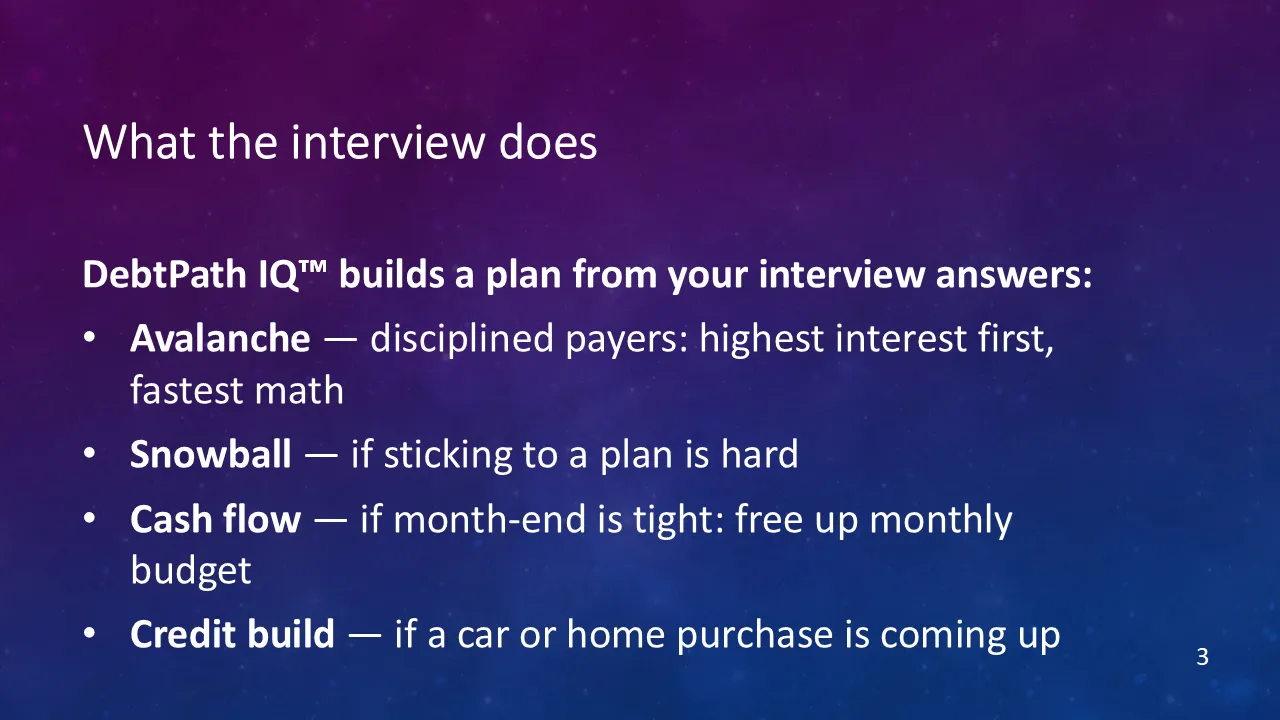
  2. Slide titled “What the interview does,” listing the four payoff methods DebtPath IQ can build a plan from: Avalanche for disciplined payers who want the fastest math, Snowball when sticking to a plan is hard, Cash flow when month-end is tight, and Credit build when a car or home purchase is coming up.
    Four methods, one interview

    You never have to work out which method suits you. The interview asks about your life and picks one of four: Avalanche for the disciplined payer who wants the fastest math, Snowball for when sticking to a plan is the hard part, Cash flow for when the end of the month is tight, and Credit build for when a car or a home purchase is coming up. Change the setting whenever you like and the whole plan re-sorts in front of you.

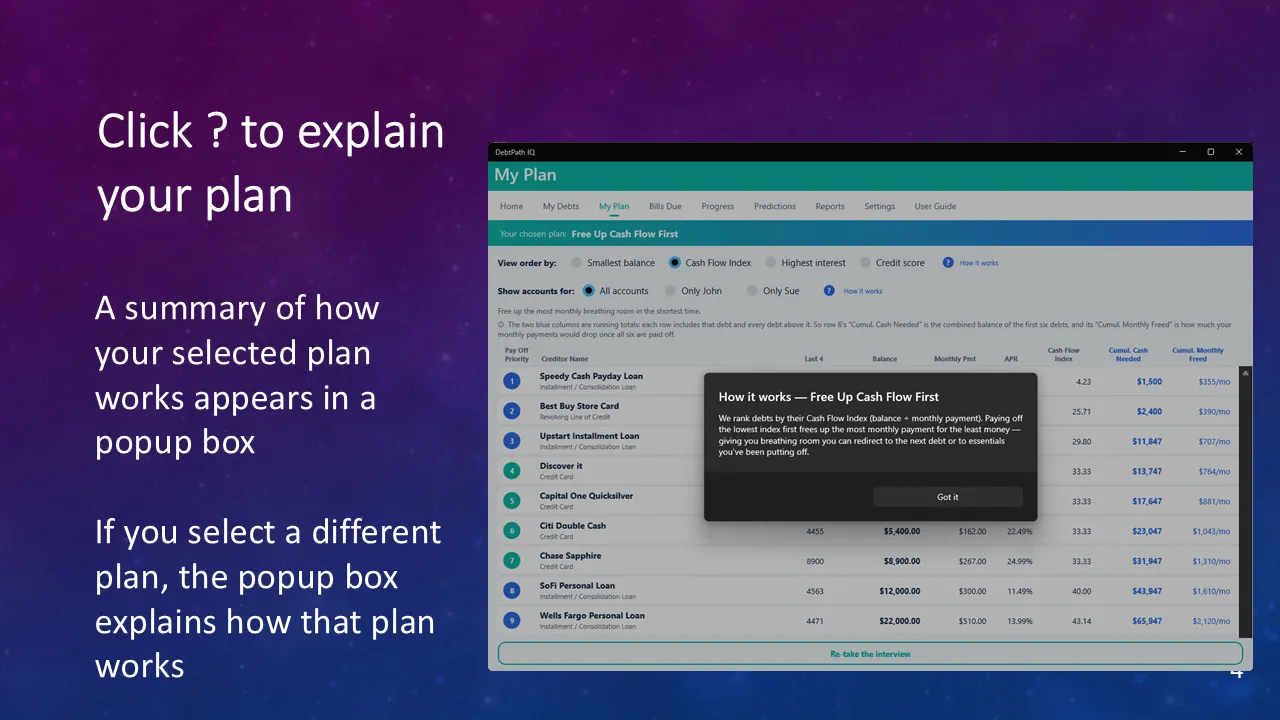
  3. Slide titled “Click ? to explain your plan,” noting that a summary of how the selected plan works appears in a popup box, and that choosing a different plan changes the explanation. A popup over the My Plan table reads “How it works — Free Up Cash Flow First” and explains that debts are ranked by Cash Flow Index, which is balance divided by monthly payment, so paying off the lowest index first frees the most monthly payment for the least money — giving breathing room to redirect to the next debt or to essentials. The nine-debt payoff table sits behind it.
    Every choice explains itself

    Every row of options carries a small ? button. Click it and DebtPath IQ™ explains in plain words what that setting does and why it matters. Pick a different method and the explanation changes to match it, so the screen never assumes you already know the vocabulary.

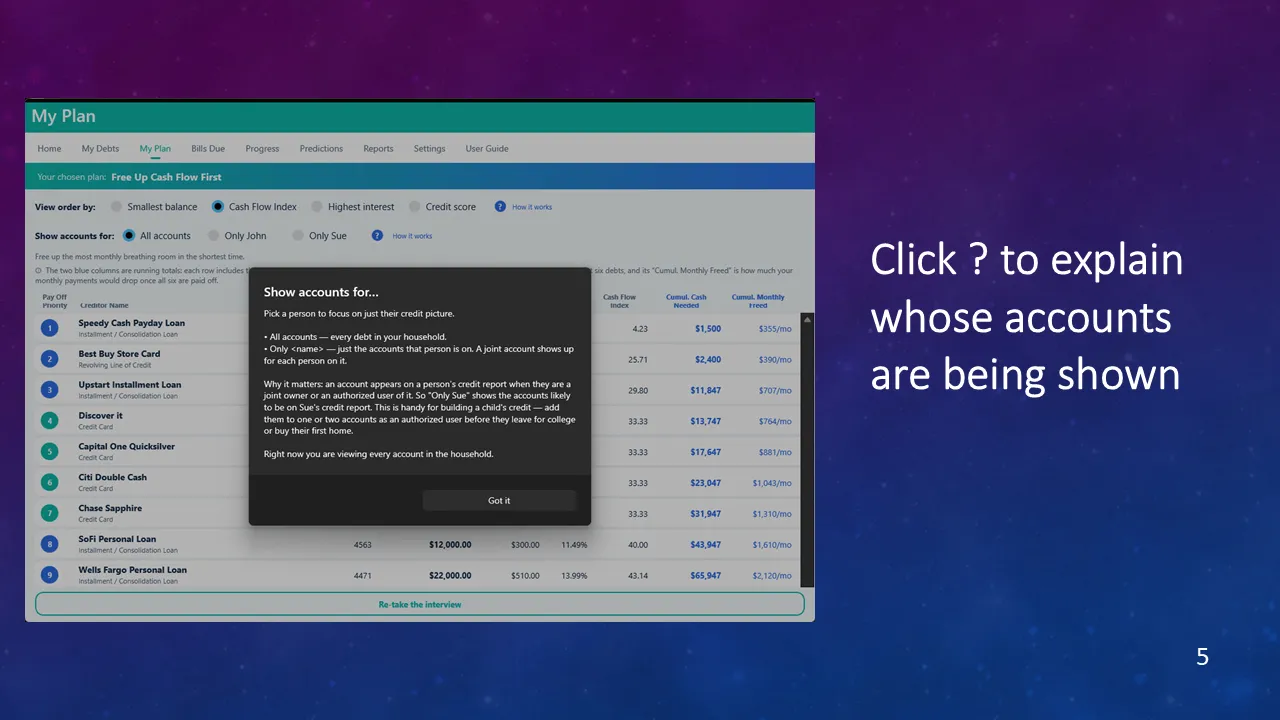
  4. Slide titled “Click ? to explain whose accounts are being shown.” A popup titled “Show accounts for…” explains that All accounts lists every debt in the household, that choosing one person shows just the accounts that person is on, and that a joint account appears for each person on it. It adds why this matters — an account appears on a person’s credit report when they are a joint owner or an authorized user of it — and notes this is useful for building a child’s credit by adding them to one or two accounts before they leave for college or buy a first home. A closing line states that every account in the household is currently shown. The nine-debt payoff table sits behind it.
    Whose accounts you are seeing

    A household rarely carries its debt in one name. The Show accounts for filter narrows the plan to a single person, because a debt only shapes someone’s credit report if they are a joint owner or an authorized user of it. The explanation goes one step further and shows how to use that on purpose — adding a child to one or two accounts to build their credit before they leave for college or buy a first home.

Ready to see these screens with your own numbers in them?

$49.99 once — the introductory price through November 30, 2026, then $79.99. On sale now for Windows 10 and 11; the Mac version goes on sale October 1, 2026. Your data never leaves your computer.

Get DebtPath IQ™ — $49.99