
DebtPath IQ™ screenshot tour
Installing DebtPath IQ™
Two clicks and a Finish button. Here is exactly what you will see.
Overview
DebtPath IQ™ installs like any ordinary Windows program — no account to create, no internet connection required once it is on your machine. Below is every screen the installer shows you, in order, so nothing surprises you.
Screens
-
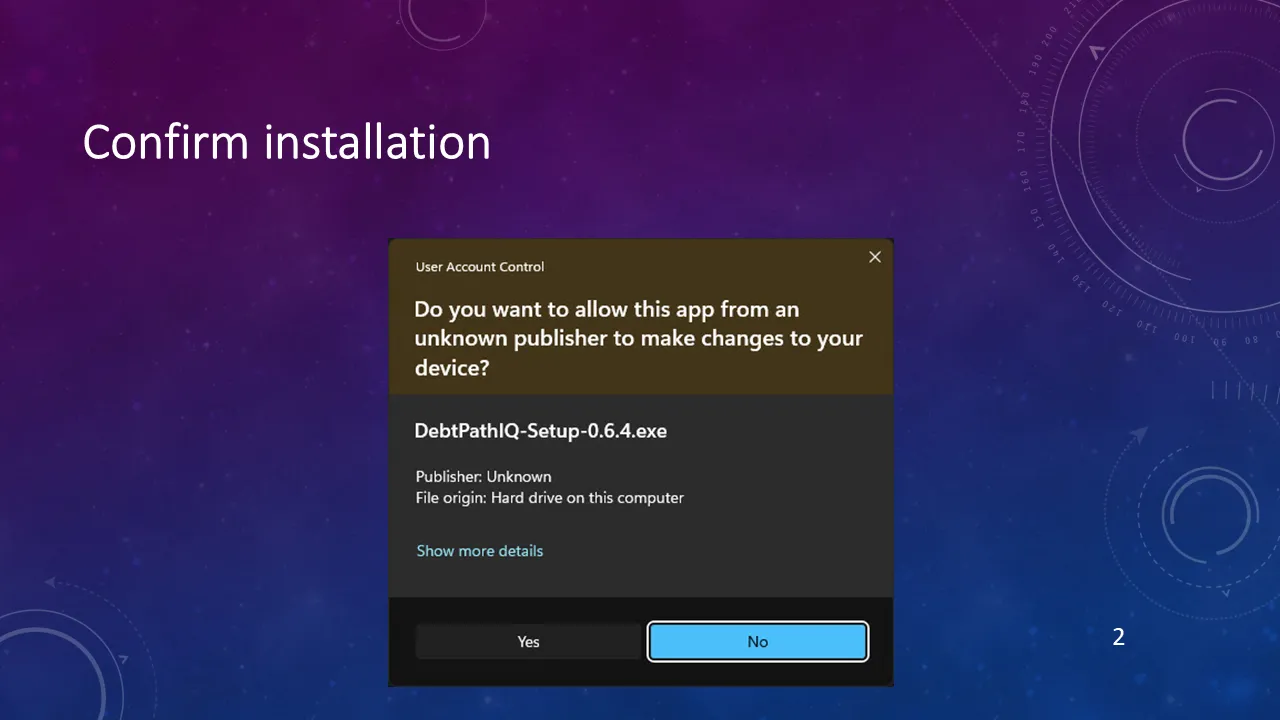
Step 1 Windows shows this box for every program whose publisher it does not recognize — including ours. It is not a virus warning, and nothing is wrong. Windows highlights No by default, so click Yes on purpose to let the installer run.
-
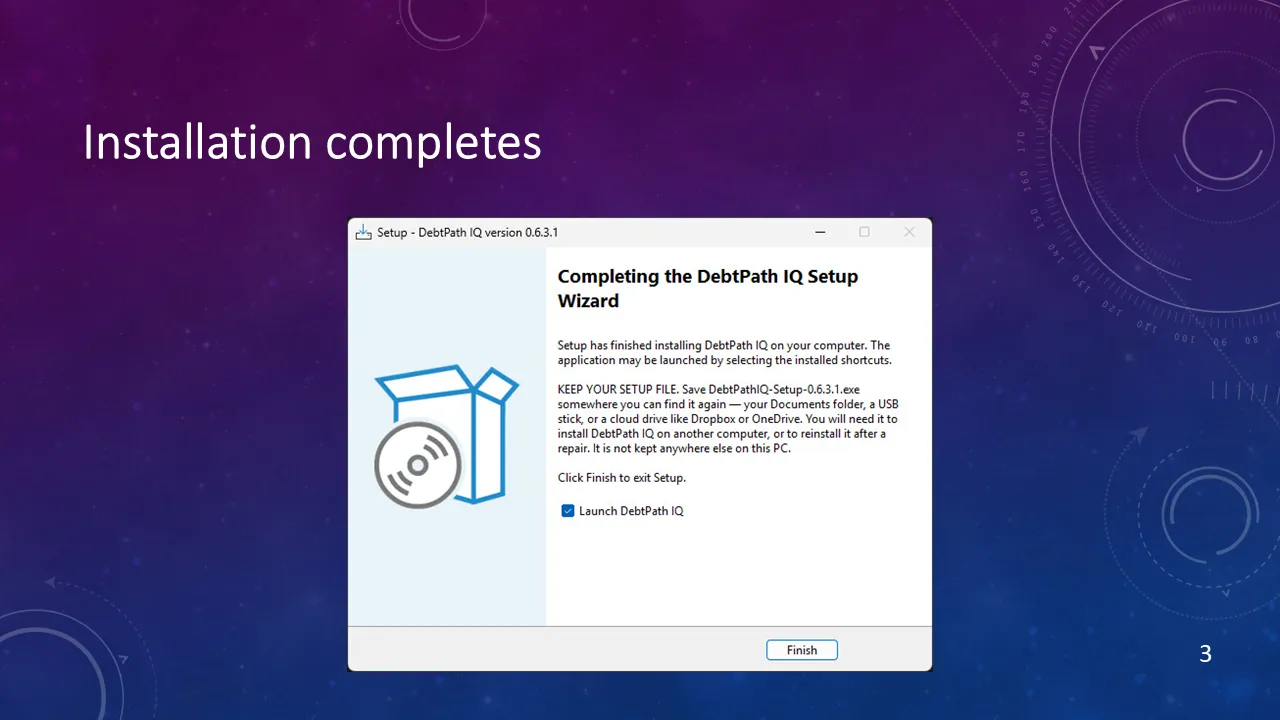
Step 2 Read the middle paragraph before you click anything: save your setup file somewhere you can find it again — your Documents folder, a USB stick, or a cloud drive like Dropbox or OneDrive. You will need that file to install DebtPath IQ™ on another computer, or to reinstall it after a repair. Then leave Launch DebtPath IQ checked and click Finish.
-
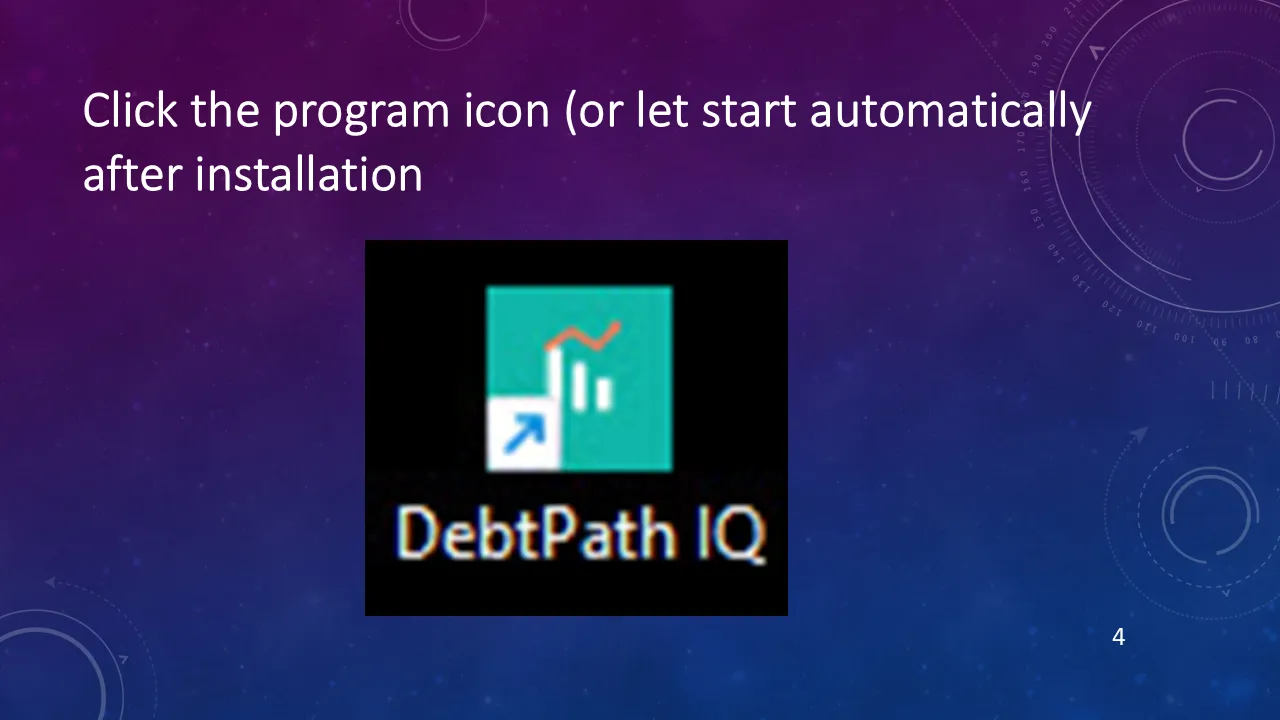
Step 3 That is the whole installation. From here on, open DebtPath IQ™ from the desktop icon or the Start menu — and the very first time you open it, the interview begins.
Ready to see these screens with your own numbers in them?
$49.99 once — the introductory price through November 30, 2026, then $79.99. On sale now for Windows 10 and 11; the Mac version goes on sale October 1, 2026. Your data never leaves your computer.
Get DebtPath IQ™ — $49.99